The User Messaging Platform (UMP) SDK lets you present an
[IDFA message](https://support.google.com/admob/answer/10115027)
to your users before requesting their consent for
[App Tracking Transparency](https://developer.apple.com/documentation/apptrackingtransparency)
(ATT). The IDFA message shows your users how your app uses the identifier.
This guide covers using the UMP SDK to present an IDFA message.
> [!NOTE]
> **Note:** If you enable both GDPR and IDFA messages, refer to [Which message your users will
> see](https://support.google.com/admob/answer/10114020#which-message-your-users-will-see) for the possible outcomes.
## Prerequisites
Before you begin, make sure you've done the following:
- [Set up Google Mobile Ads Flutter Plugin](https://developers.google.com/admob/flutter/privacy.md.txt).
- [Create an IDFA message](https://support.google.com/admob/answer/10115331) in the AdMob UI.
## Update Info.plist
To show a custom alert message, do the following:
1. Open the `Info.plist` file.
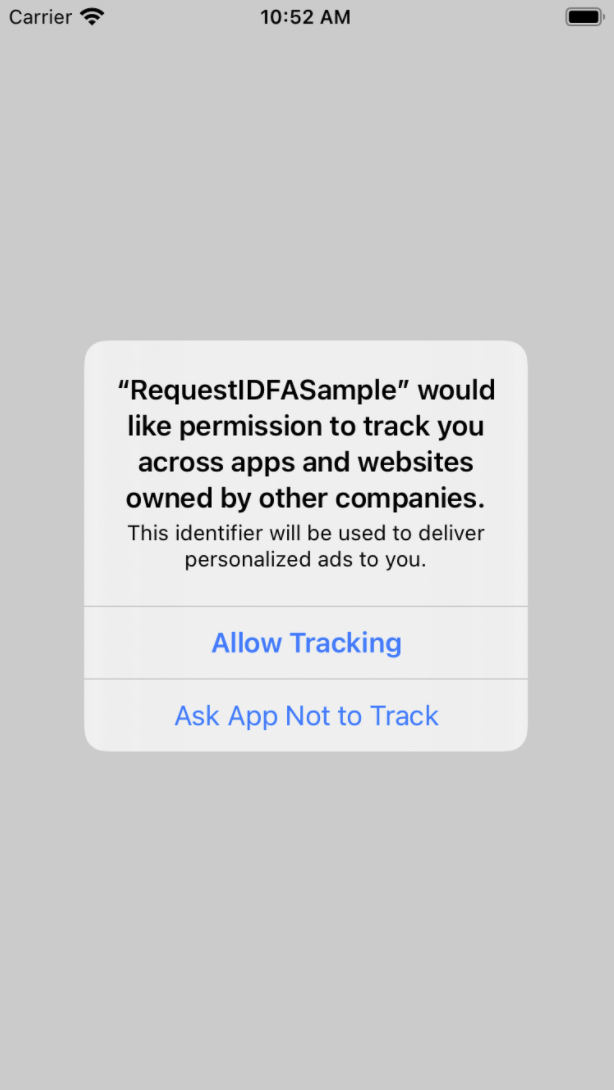
2. Add the `NSUserTrackingUsageDescription` key with a custom message that describes the usage:
NSUserTrackingUsageDescription
This identifier will be used to deliver personalized ads to you.
The usage description appears as part of the IDFA ATT alert when you present the
consent form:
Then, link the `AppTrackingTransparency` framework:
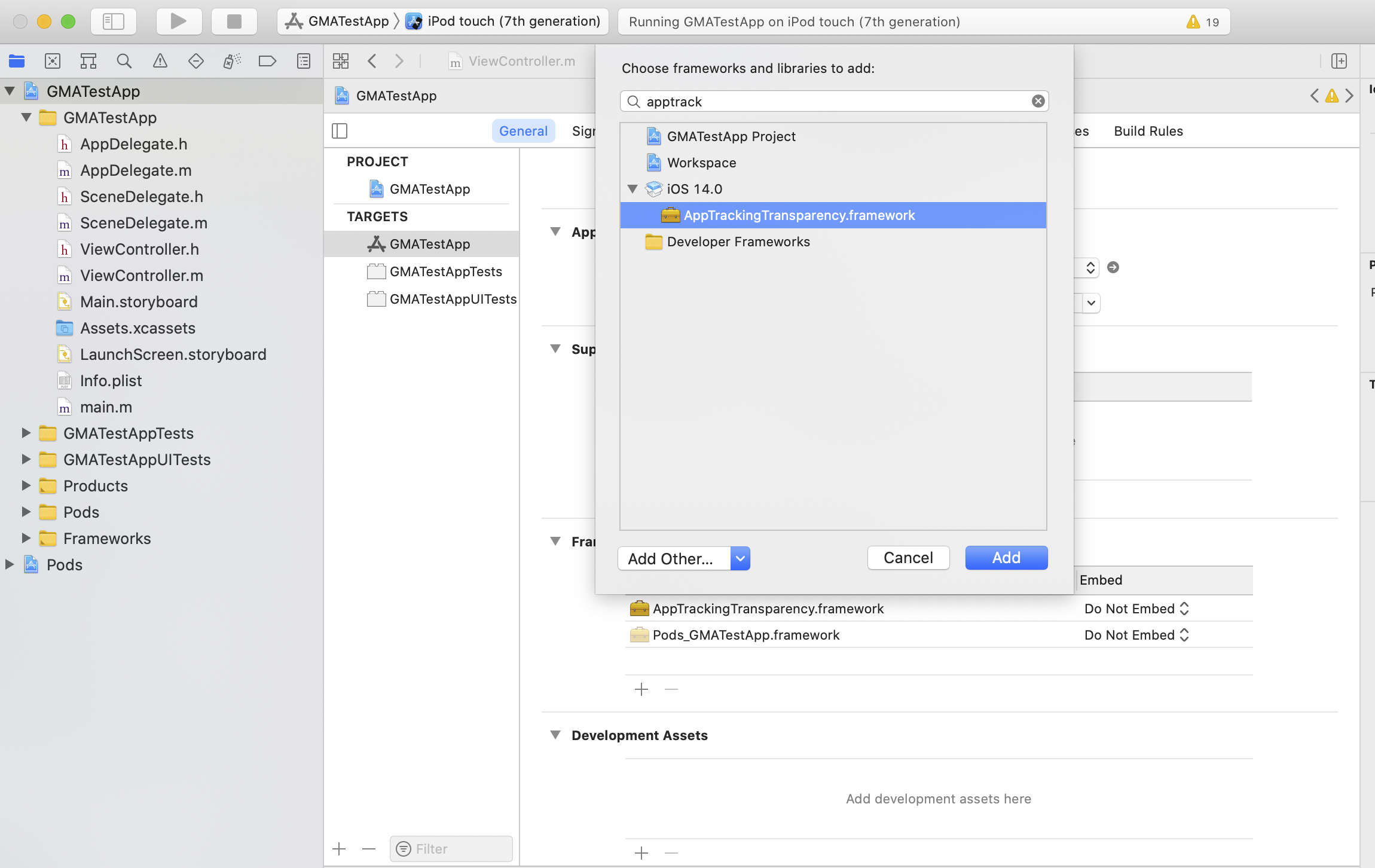
Your app then shows an IDFA message before the ATT alert.
## Testing
While testing, remember that the ATT alert only appears a single time since
[`requestTrackingAuthorization`](https://developer.apple.com/documentation/apptrackingtransparency/attrackingmanager/3547037-requesttrackingauthorization)
is a one-time request. The UMP SDK only has a form available to load if the
authorization status is
[`ATTrackingManagerAuthorizationStatusNotDetermined`](https://developer.apple.com/documentation/apptrackingtransparency/attrackingmanagerauthorizationstatus/attrackingmanagerauthorizationstatusnotdetermined?language=objc).
To make the alert appear a second time, you must uninstall and reinstall your
app on your test device.
## Request ads with or without IDFA
If a user denies ATT, continue to request ads using your ad format's APIs. The
Google Mobile Ads Flutter Plugin doesn't send IDFA in the ad request. For more details see,
[Select an ad format](https://developers.google.com/admob/flutter/quick-start.md.txt#select_an_ad_format).