```
Features that Programmable Search Engine extracts can be viewed by following [this method](https://developers.google.com/custom-search/docs/structured_data#viewing-extracted-structured-data)
By incorporating standard structured data formats into your
webpages, you not only make the data available to Programmable Search Engine, but
also for any service or tool that supports the same standard. Apply
structured data to the most important information in the webpage, so
you can present them directly in the results. For example, if you
have a website selling Android devices, include structured data about
the ratings, prices, availability, and whatnot. When your users search
for the Android devices, they can see the ratings, prices, and
availability at a glance.
So computers can now understand the
types of data in the webpage. Now what? Computers can also start doing
the menial task of finding and combining information in different
webpages. This frees users from totally boring tasks, such as sifting
through multiple pages to find items that they want. Search engines,
such as Programmable Search Engine, can process the structured data in your
webpages and display it in useful, more meaningful ways, such as
[custom snippets](https://developers.google.com/custom-search/docs/snippets) and
[structured search](https://developers.google.com/custom-search/docs/structured_search).
[Back to top](https://developers.google.com/custom-search/docs/structured_data#top)
## Providing Data to Programmable Search Engine
Google supports several kinds of data which are used primarily by
Programmable Search Engine: Pagemaps, a subset of `
` tags, and approximate page dates.
### Using PageMaps
PageMaps is a structured data format that provides Google with information about
the data on a page. It enables website creators to embed data and notes in
webpages. Although the structured data is not visible to your users or to
Google Web Search, Programmable Search Engine recognizes it when indexing your webpages and
returns it directly in the
[Programmable Search Element](https://developers.google.com/custom-search/docs/element).
You can explicitly add PageMaps to a page, or submit PageMaps using a Sitemap.
Google will also use other information on a page, such as rich snippets markup or
`meta` tag data, to create a PageMap.
Unlike the other structured data formats described below, PageMaps does
not require you to follow standard properties or terms, or even refer
to an existing vocabulary, schema, or template. You can just create
custom attribute values that make sense for your website. Unlike the structured
data attributes of microformats, microdata and RDFa, which are added around
user-visible content in the body of the HTML, PageMaps metadata is included in
the `head` section of the HTML page. This method supports arbitrary
data which may be needed by your application but which you might not want to
display to users.
Once you create a PageMap, you can submit it to Google using any of the
following methods:
- [Add PageMap data directly to your HTML page.](https://developers.google.com/custom-search/docs/structured_data#addtopage) Google will discover the PageMap information when we crawl your site.
- [Add PageMap data to a Sitemap](https://developers.google.com/custom-search/docs/structured_data#addtositemap), and submit that Sitemap for indexing. This is a good option if you don't want PageMap exposed in the HTML source code of your page.
### PageMap tag definitions
The following table outlines the requirements for adding PageMap data to a
Sitemap.
| Tag | Required? | Description |
|---|---|---|
| `PageMap` | Yes | Encloses all PageMap information for the relevant URL. |
| `DataObject` | Yes | Encloses all information about a single element (for example, an action). |
| `Attribute` | Yes | Each DataObject contains one or more attributes. |
**Note:**
PageMaps are XML blocks and therefore must be formatted correctly;
in particular, the `PageMap`, `DataObject` and
`Attribute` tags in the XML are case sensitive, as are the
`type`, `name`, and `value` attributes.
### Add PageMap data directly to your HTML page
Here's an example of PageMap data for a webpage about
badminton:
```
...
...
```
### Add PageMap data to a Sitemap
If you don't want to include PageMap data in the HTML of your pages, you can
add PageMap data to a Sitemap and submit that Sitemap via the
[Search Console Sitemaps tool](https://search.google.com/search-console/sitemaps).
Here's an example of a Sitemap that includes PageMap information for two
URLs: http://www.example.com/foo and http://www.example.com/bar.
```
http://www.example.com/foo
Dragon
3.5
http://www.example.com/bar
Ribs
4.0
```
### Parsing PageMap data
Using the Programmable Search Element, custom attributes are
returned in the richSnippet property of each result, can can be used with
Search Element [Callbacks](https://developers.google.com/custom-search/docs/element#search-time-callbacks).
```
http://www.xyz.com/business/vending_machine.html
...
In Italy, a Vending Machine Even Makes the Pizza
...
The European vending machine industry has annual sales of about #33
billion, much of it coming from factories and offices.
...
...
```
[Back to top](https://developers.google.com/custom-search/docs/structured_data#top)
### Using `
` tags
While PageMaps allow you to precisely specify the data you want for
each page, sometimes you have a large amount of content which you do
not want to annotate. Google extracts selected content from
[META](http://www.w3.org/TR/1999/REC-html401-19991224/struct/global.html#h-7.4.4.2)
tags of the form `
`. We do not support variants of the
META tag, such as the use of `property` instead of `name`.
While we explicitly exclude common
tags that are usually inserted programmatically by web authoring tools,
such as `robots`, `description`, and
`keywords`, rarer tags specific to your site will be
extracted and put into a special data object
of type `metatags`, which can be used with all of Custom
Search's structured data features. For example, a `
` tag of the form:
```
```
creates a PageMap DataObject which is returned in XML results like this:
```
...
...
```
The data in this automatically created PageMap can be used anywhere you can
use data from a PageMap explicitly included in your page's content. For
instance, it can be used with structured search operators like
[Sort by Attribute](https://developers.google.com/custom-search/docs/structured_search#sort_by_attribute):
```
https://www.google.com/cse?cx=12345:example&q=oil+spill&sort=metatags-pubdate
```
or with the [Programmable Search Element](https://developers.google.com/custom-search/docs/structured_search#structured_search_element):
```
...
...
```
The following are the `
` tags that Google excludes:
- robots
- description
- keywords
- revisit-after
- generator
- verify-v1
- googlebot
- google-site-verification
- mssmarttagspreventparsing
- no-cache
Google attempts to include all other `
` tags, with the caveat that
punctuation, special characters and embedded spaces in the `name`
field of `
` tags may not be parsed correctly. Programmable Search Engine
explicitly supports periods and dashes in `
` tag names.
Programmable Search Engine does not explicitly support other special characters
within `
` tag names, but some special characters
may be accepted correctly if they are
[URL encoded](http://en.wikipedia.org/wiki/Percent-encoding).
#### Limitations
Programmable Search Engine will convert up to 50 `
` tags to PageMaps, as long
as the total text size of all processed properties does not exceed 1MB, with no
individual property exceeding 1024 characters.
[Back to top](https://developers.google.com/custom-search/docs/structured_data#top)
### Using Page Dates
In addition to metadata which you explicitly specify on a page,
Google also estimates a page date based on features of the page such
as dates in the title and URL. Programmable Search Engine allows you to use this
date to sort, bias and range restrict results by using a special metadata
key of `date`. This estimated date can be used in all operators
that use the `&sort=` URL parameter, including
[Sort by Attribute](https://developers.google.com/custom-search/docs/structured_search#sort_by_attribute),
[Bias by Attribute](https://developers.google.com/custom-search/docs/structured_search#bias_by_attribute),
[Restrict to Range](https://developers.google.com/custom-search/docs/structured_search#restrict_to_range).
**Note:** The page date is not added to the PageMap,
so it is not returned in JSON API results, cannot be used in the Programmable Search Engine
element, and cannot be used with the
[Filter by Attribute](https://developers.google.com/custom-search/docs/structured_search#filter_by_attribute) feature.
The following examples show the use of the page date with these operators:
| If you want to... | Send this URL... | To learn more see... |
|---|---|---|
| Sort results by date in descending order | `https://www.google.com/cse?cx=12345:example&q=oil+spill\&sort=date` | [Sort by Attribute](https://developers.google.com/custom-search/docs/structured_search#sort_by_attribute) |
| Bias results strongly towards newer dates | `https://www.google.com/cse?cx=12345:example&q=oil+spill\&sort=date:d:s` | [Bias by Attribute](https://developers.google.com/custom-search/docs/structured_search#bias_by_attribute) |
| Bias results weakly towards older dates | `https://www.google.com/cse?cx=12345:example&q=oil+spill\&sort=date:a:w` | [Bias by Attribute](https://developers.google.com/custom-search/docs/structured_search#bias_by_attribute) |
| Return results from January 1 to February 1 of 2010 (inclusive) | `https://www.google.com/cse?cx=12345:example&q=oil+spill\&sort=date:r:20100101:20100201` | [Restrict to Range](https://developers.google.com/custom-search/docs/structured_search#restrict_to_range) |
Google's estimate of the right date for a page is based on features
such as the byline date of news articles or an explicitly specified
date in the title of the document. If a page has poorly specified or
inconsistent dates Google's estimate of the page date may not make
sense, and your Programmable Search Engine may return results ordered in
a way you do not expect.
### Formatting Dates
A site may provide date information implicitly, relying on Google's
estimated page date feature to detect dates embedded in the page
URL, title or other features, or explicitly, by supplying a date in
a structured data format. In either case, effective use of dates
requires formatting the dates correctly.
For Programmable Search Engine's
[Sort by Attribute](https://developers.google.com/custom-search/docs/structured_search#sort_by_attribute),
[Bias by Attribute](https://developers.google.com/custom-search/docs/structured_search#bias_by_attribute),
[Restrict to Range](https://developers.google.com/custom-search/docs/structured_search#restrict_to_range)
features, Google attempts to parse dates using both conventional date
formatting and formal standards such as
[ISO 8601](http://en.wikipedia.org/wiki/ISO_8601)
and [IETF RFC 850](http://www.faqs.org/rfcs/rfc822.html).
The following complete date formats are accepted:
| Date Format | Example Date |
|---|---|
| YYYY-MM-DD | 2009-12-31 |
| YYYY/MM/DD | 2009/12/31 |
| YYYYMMDD | 20091231 |
| Month DD YYYY | December 31 2009 |
| DD Month YYYY | 31 December 2009 |
Google will attempt to parse variants of these date formats, such
as `MM/DD/YYYY` and `DD/MM/YYYY`. However,
the more ambiguous the date, the less likely that Google will parse
it correctly. For example, the date `06/07/08` is
extremely ambiguous and it is unlikely Google will assign to it
the interpretation you want. For best results, use a complete
[ISO 8601](http://en.wikipedia.org/wiki/ISO_8601)
date format with a fully specified year.
[Back to top](https://developers.google.com/custom-search/docs/structured_data#top)
## Rich Snippets
Google also extracts a variety of structured data from JSON-LD, Microformats, RDFa
and Microdata to be used in
[rich snippets](http://googlewebmastercentral.blogspot.com/2009/05/introducing-rich-snippets.html), extended presentations of standard Google search results.
Similar data is available for use in Programmable Search Engine's
structured data operators---typically, the same data used in rich snippets.
For example, if you have marked up your pages with the Microformat
`hrecipe` standard, you could sort on the number of rating
stars of the recipe with an operator like
`&sort=recipe-ratingstars`.
Google is continually extending the data it extracts and how much of this
data is available for use in Programmable Search Engine; to see what data Google currently
extracts, you can use the
[Structured Data Testing Tool](https://developers.google.com/custom-search/docs/structured_data#preview_tool) in Search Console.
[Back to top](https://developers.google.com/custom-search/docs/structured_data#top)
### Using JSON-LD
[JSON-LD](https://json-ld.org) is a widely-used standard format for structured data.
The data is formatted as [JSON](https://www.json.org) and placed in a
`
```
Google extracts a subset of this data for Programmable Search Engine and normalizes it. The
normalization simplifies the JSON-LD, removing many JSON-LD idioms. The normalized data is
processed further:
- It is converted from the [graph](https://json-ld.org/spec/latest/json-ld/#dfn-json-ld-documents) structure of JSON-LD to a forest of trees.
- The forest is pared down to the branches related to a subset of schema.org types. The subset consists of the [schema.org](http://schema.org) type trees for
- [Event](http://schema.org/Event)
- [ClaimReview](http://schema.org/ClaimReview)
- [EducationalOrganization](http://schema.org/EducationalOrganization)
If you have other types that would be useful for your specific use case, please let us know in the [Support
Forum.](https://support.google.com/programmable-search/community)
- Each JSON-LD node from one of the selected types pulls in a *branch* from its JSON-LD tree. That branch includes its ancestor nodes in the tree and all of its descendant nodes. So, for instance, we may have a tree rooted at a [MusicComposition](http://schema.org/MusicComposition) with a [firstPerformance](http://schema.org/firstPerformance) property that has an [Event](http://schema.org/Event) value, which has a full set of *Event* properties. All those nodes, from the *MusicComposition* through the properties of the *Event* and any of their descendants are kept to keep a meaningful tree-branch containing the *firstPerformance Event.*
For the above JSON-LD, the structured data would be returned in search results as JSON like this:
```
...
"event": {
"name": "Presenting Foo",
"description": "Please attend. You'll love it!",
"startdate": "2022-05-24",
"location": "Back room"
},
...
```
To see what Google Search extracts for a page and validate the JSON-LD, use the
[Rich Results
Testing Tool](https://search.google.com/test/rich-results) on Google's Search Console site.
To learn more about JSON-LD, see the
[structured data documentation](https://developers.google.com/search/docs/guides/intro-structured-data) and
[json-ld.org](http://json-ld.org).
[Back to top](https://developers.google.com/custom-search/docs/structured_data#top)
### Using Microformats
[Microformats](http://microformats.org/)
is a specification for representing commonly published
items such as reviews, people, products, and businesses. Generally,
microformats consist of `
` and
`` elements and a class property, along with a
brief and descriptive property name (such as `dtreviewed`
or `rating`, which represent the date an item was reviewed
and its rating, respectively).
The following includes a snippet of plain HTML code.
```
Kevin Grendelzilla
Technical writer at Google
555 Search Parkway
Googlelandia, CA 94043
```
The following snippet shows the previous HTML code extended with
microformats:
```
Kevin Grendelzilla
Technical writer at Google
555 Search Parkway
Googlelandia, CA
94043
```
Google extracts a subset of this data, normalized and reorganized
to correspond to how it would be displayed in rich snippets. This
subset would be returned in XML results like this:
```
...
...
```
To see what Google extracts for a page, use the
[Structured Data
Testing Tool](https://search.google.com/structured-data/testing-tool) in Google's
Search Console site. The data Google extracts from pages is
continually being extended, so check back periodically to see if
the data you want has been made available. In the meantime, if you need
custom data that does not correspond to a defined microformat,
you can use [PageMaps](https://developers.google.com/custom-search/docs/structured_data#pagemaps).
To learn more about microformats, see the
[structured data documentation](https://developers.google.com/search/docs/guides/intro-structured-data) and
[microformats.org](http://microformats.org/get-started).
[Back to top](https://developers.google.com/custom-search/docs/structured_data#top)
### Using Resource Description Framework in Attributes (RDFa)
[Resource Description Framework in attributes (RDFa)](http://www.w3.org/TR/xhtml-rdfa-primer/) is more flexible
than microformats. Microformats specify both a syntax for including
structured data into HTML documents and set of microformat classes
each with its own specific vocabulary of allowed attributes. RDFa, on
the other hand, specifies only a syntax and allows you to use existing
vocabularies of attributes or create your own. It even lets you combine
multiple vocabularies freely. If the existing vocabularies do not meet
your needs, you can define your own standards and vocabularies by
creating new fields.
The following includes a snippet of plain HTML code.
```
5 Centimeters Per Second
Makoto Shinkai
...
```
The following snippet shows the previous HTML code extended with RDFa:
```
5 Centimeters Per Second
Makoto Shinkai
...
```
To learn more about RDFa, see the
[structured data documentation](https://developers.google.com/search/docs/guides/intro-structured-data). To learn more about defining an RDF schema,
see the [RDF Primer](http://www.w3.org/TR/2004/REC-rdf-primer-20040210/#rdfschema).
[Back to top](https://developers.google.com/custom-search/docs/structured_data#top)
### Using Microdata
HTML5, the latest revision of the language web pages are written in,
defines a format called
[microdata](https://www.w3.org/TR/microdata/)
that incorporates the ideas of RDFa and Microformats directly into the
HTML standard itself. Microdata uses simple attributes in HTML tags
(often `span` or `div`) to assign brief and
descriptive names to items and properties.
Like RDFa and Microformats, Microdata's attributes help you specify that
your content describes information of specific types, like reviews,
people, information or events. For example, an person can have the
properties name, nickname, url, title and affiliation. The following is
an example of a short HTML block showing this basic contact
information for Bob Smith:
```
My name is Bob Smith but people call me Smithy. Here is my home page:
www.example.com
I live in Albuquerque, NM and work as an engineer at ACME Corp.
```
The following is the same HTML marked up with microdata. Note that in this example
we use a property 'nickname' that is not yet officially part of schema.org. Custom
Search is a good way to explore possible schema.org extensions locally before
proposing them to the wider community.
```
My name is
Bob Smith
but people call me
Smithy.
Here is my home page:
www.example.com
I live in Albuquerque, NM and work as an
engineer
at
ACME Corp.
```
The first line of this example includes a HTML `div` tag with
an `itemscope` attribute that indicates that `div`
contains a microdata item. The
`itemtype="http://schema.org/Person"` attribute on
the same tag tells us this is a person. Each property of the person item
is identified with the `itemprop` attribute; for example,
`itemprop="name"` on the `span` tag describes
the person's name. Note that you are not limited to `span`
and `div`; the `itemprop="url"` tag is attached
to an `a` (anchor) tag.
To learn more about microdata, see the
[structured data documentation](https://developers.google.com/search/docs/guides/intro-structured-data) and the
[HTML Microdata](https://www.w3.org/TR/microdata/) standard.
[Back to top](https://developers.google.com/custom-search/docs/structured_data#top)
## Viewing Extracted Structured Data
JSON-LD structured data has a special Google-supported validation tool, the
[Rich Results Testing Tool](https://search.google.com/test/rich-results). It checks
the syntax of the JSON-LD and also some of its semantics, especially whether the structured data
includes required and recommended attributes.
To check other forms of structured
data, use the [Schema Markup Validator](https://validator.schema.org). It validates
the structured data's syntax, and shows you its interpreted form.
Programmable Search Engine keeps a subset of
the structured data, so use a Programmable Search Engine to inspect Programmable Search Engine's
view of the structured data for a page by:
1. turning on *Structured Data in Search Results* in *Advanced Search Features*

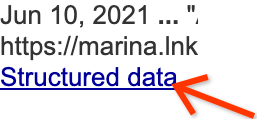
2. Then using that search engine to find a page with the data you want to see, and clicking the *Structured data* button in the search result for that page:
If you haven't tagged any of your webpages with structured data but would like to see what
extracted structured data might look like, you can enter the URLs of
other websites. Popular sites that have review information or a list of
contacts are especially likely to have structured data.
Once you have found a page with structured data, you can view that
page's source to see the structured data that site has implemented. For example,
consider the following snippet of HTML with structured data about
a person implemented as microformats:
```
Godzilla
Gigantis
Senior Giant Monster,
Tokyo
```
Programmable Search Engine extracts the following subset of that data
for use in structured search:
```
person (source = MICROFORMAT)
location = Tokyo
```
[Back to top](https://developers.google.com/custom-search/docs/structured_data#top)
## Exploring Other Features
Structured data can be used in several Programmable Search Engine features
including the following:
- If you want to learn more about using structured data in snippets, see [Customizing Your Result Snippets](https://developers.google.com/custom-search/docs/snippets).
- If you want to learn more about changing the order of your results, see [Structured Search](https://developers.google.com/custom-search/docs/structured_search).