**European Economic Area (EEA) developers**
> [!NOTE]
> If your billing address is in the European Economic Area, effective on 8 July 2025, the [Google Maps Platform EEA Terms of Service](https://cloud.google.com/terms/maps-platform/eea) will apply to your use of the Services. Functionality varies by region. [Learn more](https://developers.google.com/maps/comms/eea/faq.md.txt).
[](https://developers.google.com/maps/documentation/routes/demo.md.txt)
## Introduction
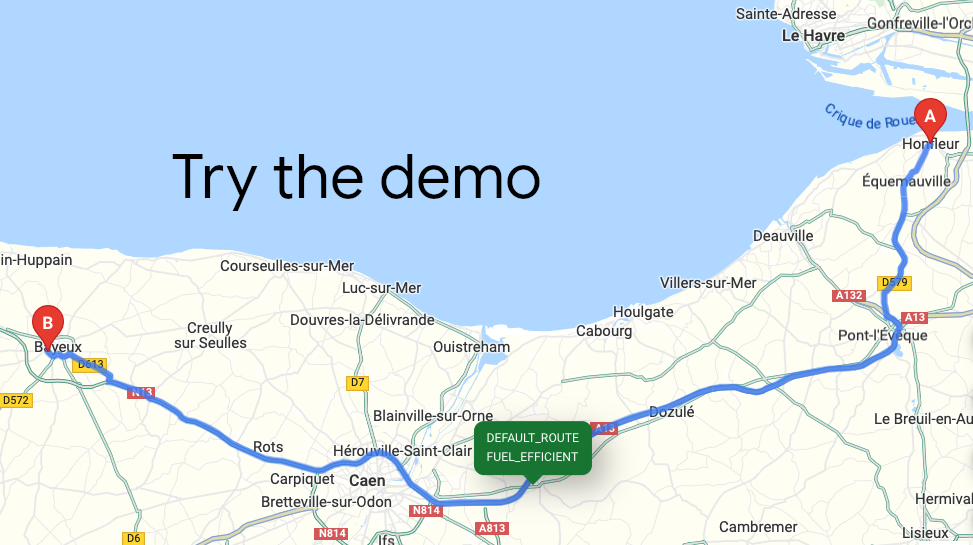
Compute Routes is a method in the Routes API service that accepts
an HTTPS request and returns the ideal route between two locations.
Provide directions with real-time traffic for transit, biking, driving,
2-wheel motorized vehicles, or walking between multiple locations.
**Need Route Matrixes?** If you are interested in a route matrix, see
[Compute Route Matrix Overview](https://developers.google.com/maps/documentation/routes/compute-route-matrix-over.md.txt).
**Migrating?** If you are migrating from the Distance Matrix API (Legacy),
see migration instructions starting with
[Why migrate to the Routes API](https://developers.google.com/maps/documentation/routes/migrate-routes-why.md.txt).
## Why use Compute Routes
With Compute Routes, with a wide
range of route details you can route your vehicles or packages according to
your preferences while optimizing for cost and quality.
## What you can do with Compute Routes?
With the Routes API `Compute Routes` method, you can
do the following things:
- **Get directions for different ways to travel**, and for a single or
multiple destinations:
- Modes of transportation: transit, driving, two-wheel vehicles, trucks,
walking, or bicycling.
- A series of waypoints that you can optimize for the most efficient
order in which to travel to them.
- **Use multiple ways to specify origins, destinations, and waypoints**:
- Text strings. For example: "Chicago, IL", "Darwin, NT, Australia", "1800
Amphitheatre Parkway, Mountain View, CA 94043", or "CWF6+FWX Mountain
View, California"
- Place IDs
- Latitude and longitude coordinates, optionally with vehicle heading
- **Fine-tune your route options** based on your needs and goals:
- Customize routes for trucks and other large vehicles, by specifying
vehicle attributes like dimensions, weight, and hazardous materials. For
details, see [Large vehicle routing
overview](https://developers.google.com/maps/documentation/routes/lvr).
- Select fuel or energy-efficient routes for your vehicle's engine type:
Diesel, Electric, Hybrid, Gas. For more information, see
[Get an eco-friendly route](https://developers.google.com/maps/documentation/routes/eco-routes.md.txt#request_an_eco-friendly_route).
- Set fine-grained options for traffic calculation, letting you make
quality versus latency trade off decisions. For details, see
[Specify how and if to include traffic data](https://developers.google.com/maps/documentation/routes/config_trade_offs.md.txt).
- Set vehicle heading (direction of travel) and side-of-road information
for waypoints to increase ETA accuracy. For details, see
[Specify vehicle heading and side of road](https://developers.google.com/maps/documentation/routes/location_modifiers.md.txt).
- Specify pass-through versus terminal locations and safe stopover
locations. For details, see [Set a stop along a route](https://developers.google.com/maps/documentation/routes/stop_over.md.txt) and
[Set a point for a route to pass through](https://developers.google.com/maps/documentation/routes/pass-through.md.txt).
- Request toll information, along with route distance and ETA. For
details, see
[Calculate toll fees for a route](https://developers.google.com/maps/documentation/routes/calculate_toll_fees.md.txt).
- **Control your latency and quality** by requesting only the data you need
using a field mask, which helps you avoid unnecessary processing time and
higher request billing rates. For details, see
[Choose what information to return](https://developers.google.com/maps/documentation/routes/choose_fields.md.txt).
## How Compute Routes works
The Routes API `ComputeRoutes` method accepts an HTTP POST request with
a JSON request body that contains the request details. Required are an origin,
destination, `travelMode`, and a field mask to specify which fields to return.
#### Example
```json
curl -X POST -d '{
"origin": {
"address": "1800 Amphitheatre Parkway, Mountain View, CA 94043"
},
"destination": {
"address": "Sloat Blvd &, Upper Great Hwy, San Francisco, CA 94132"
},
"travelMode": "DRIVE"
}' \
-H 'Content-Type: application/json' -H 'X-Goog-Api-Key: YOUR_API_KEY' \
-H 'X-Goog-FieldMask: routes.duration,routes.distanceMeters' \
'https://routes.googleapis.com/directions/v2:computeRoutes'
```
The service then calculates the requested route, and returns the fields you've
requested.
### Resources
The following table summarizes the resources available through the
Routes API Compute Routes method,
along with the data it returns.
| Data resources | Data returned | Return format |
|---|---|---|
| [ComputeRoutes](https://developers.google.com/maps/documentation/routes/compute_route_directions.md.txt) | Returns routes, legs, and steps for a route, with alternate routes, if requested. | JSON |
### How to use Compute Routes
|---|---|---|
| 1 | **Get set up** | Start with [Set up your Google Cloud project](https://developers.google.com/maps/documentation/routes/cloud-setup) and complete the setup instructions that follow. |
| 2 | **Understand how the Routes API bills** | For information, see [Usage and billing](https://developers.google.com/maps/documentation/routes/usage-and-billing.md.txt). |
| 3 | **Compute a route and review the response** | For more information, see [Get a route](https://developers.google.com/maps/documentation/routes/compute_route_directions.md.txt) and [Review the route responses](https://developers.google.com/maps/documentation/routes/understand-route-response.md.txt). |
### Available client libraries
For a list of the available client libraries for
Compute Routes, see
[Client libraries](https://developers.google.com/maps/documentation/routes/client-libraries.md.txt).
## What's next
- [Get a route](https://developers.google.com/maps/documentation/routes/compute_route_directions.md.txt)
- [Available route options](https://developers.google.com/maps/documentation/routes/route-opt.md.txt)
- [Choose what information to return](https://developers.google.com/maps/documentation/routes/choose_fields.md.txt)
- [Migrate from Directions API (Legacy)](https://developers.google.com/maps/documentation/routes/migrate-routes.md.txt)
- [Migrate from the Routes API preview to GA](https://developers.google.com/maps/documentation/routes/migrate-routes-preview.md.txt)