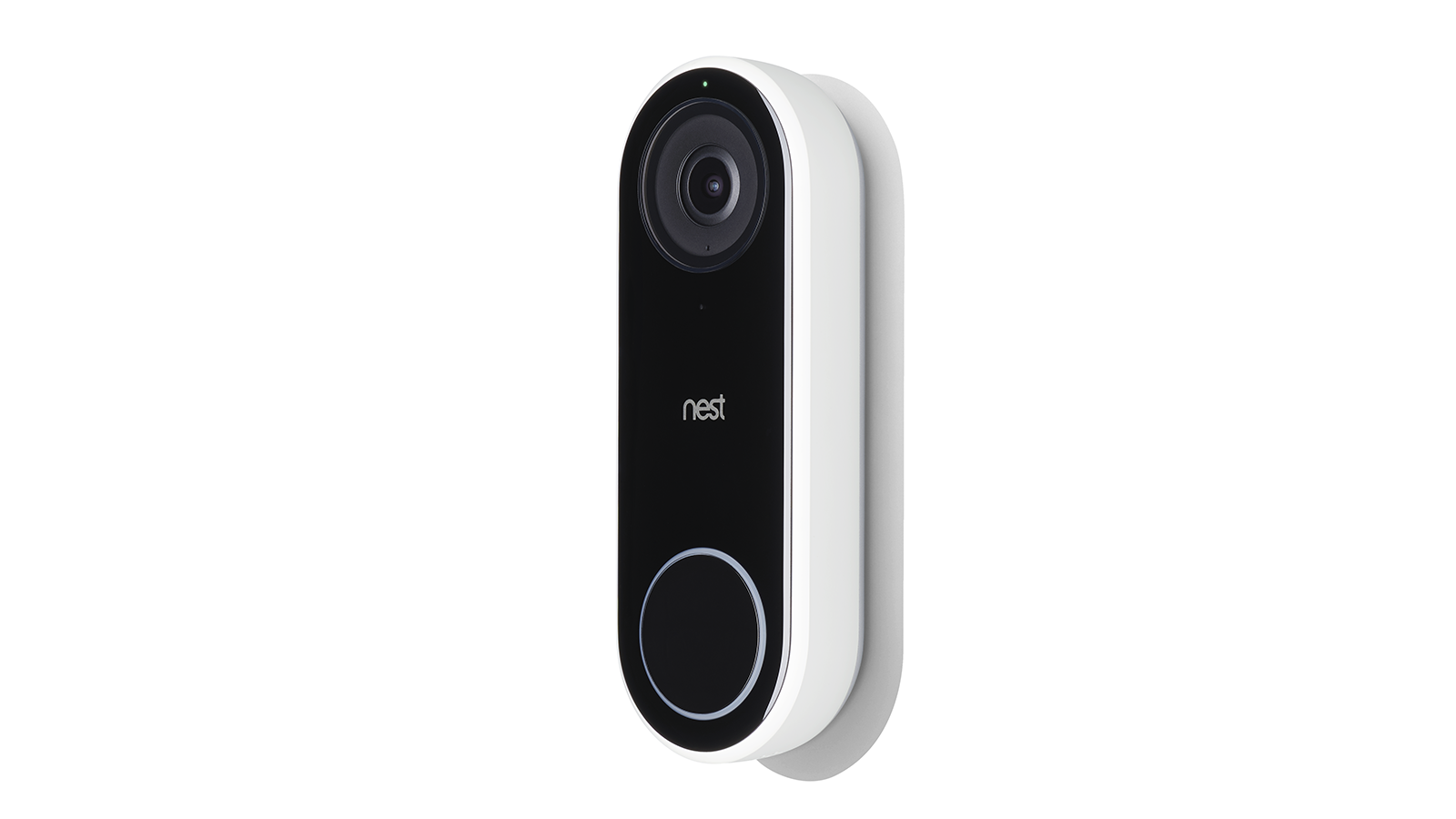
All legacy Nest Doorbells are supported in the Smart Device Management (SDM) API.
This device returns a device type of DOORBELL:
`sdm.devices.types.DOORBELL`
The Google Nest Doorbell (legacy) features a camera, which functions the same as a
device type of CAMERA.
## Traits
### Reference
The following traits, commands, or events are related to this device:
| Trait | Description | Commands | Events |
|---|---|---|---|
| [CameraEventImage](https://developers.google.com/nest/device-access/traits/device/camera-event-image) | This trait belongs to any device that supports generation of images from events. | [GenerateImage](https://developers.google.com/nest/device-access/traits/device/camera-event-image#generateimage) | |
| [CameraImage](https://developers.google.com/nest/device-access/traits/device/camera-image) | This trait belongs to any device that supports taking images. | | |
| [CameraLiveStream](https://developers.google.com/nest/device-access/traits/device/camera-live-stream) | This trait belongs to any device that supports live streaming. | [GenerateRtspStream](https://developers.google.com/nest/device-access/traits/device/camera-live-stream#generatertspstream) [ExtendRtspStream](https://developers.google.com/nest/device-access/traits/device/camera-live-stream#extendrtspstream) [StopRtspStream](https://developers.google.com/nest/device-access/traits/device/camera-live-stream#stoprtspstream) | |
| [CameraMotion](https://developers.google.com/nest/device-access/traits/device/camera-motion) | This trait belongs to any device that supports motion detection events. | | [Motion](https://developers.google.com/nest/device-access/traits/device/camera-motion#motion) |
| [CameraPerson](https://developers.google.com/nest/device-access/traits/device/camera-person) | This trait belongs to any device that supports person detection events. | | [Person](https://developers.google.com/nest/device-access/traits/device/camera-person#person) |
| [CameraSound](https://developers.google.com/nest/device-access/traits/device/camera-sound) | This trait belongs to any device that supports sound detection events. | | [Sound](https://developers.google.com/nest/device-access/traits/device/camera-sound#sound) |
| [DoorbellChime](https://developers.google.com/nest/device-access/traits/device/doorbell-chime) | This trait belongs to any device that supports a doorbell chime and related press events. | | [Chime](https://developers.google.com/nest/device-access/traits/device/doorbell-chime#chime) |
| [Info](https://developers.google.com/nest/device-access/traits/device/info) | This trait belongs to any device for device-related information. | | |
### JSON
The absence of a trait in a GET response indicates that the trait or
feature is not currently available for the device. See
[Device types](https://developers.google.com/nest/device-access/traits#device-types) for more
information.
```
{
"type" : "sdm.devices.types.DOORBELL",
"traits" : {
"sdm.devices.traits.CameraEventImage" : {},
"sdm.devices.traits.CameraImage" : {
"maxImageResolution" : {
"width" : 1280,
"height" : 960
}
},
"sdm.devices.traits.CameraLiveStream" : {
"maxVideoResolution" : {
"width" : 640,
"height" : 480
},
"videoCodecs" : ["H264"],
"audioCodecs" : ["OPUS"],
"supportedProtocols" : ["WEB_RTC"]
},
"sdm.devices.traits.CameraMotion" : {},
"sdm.devices.traits.CameraPerson" : {},
"sdm.devices.traits.CameraSound" : {},
"sdm.devices.traits.DoorbellChime" : {},
"sdm.devices.traits.Info" : {
"customName" : "My device"
}
}
}
```
## Handle doorbell and camera events
The following events may be triggered from a DOORBELL device type :
| Type | Element | Description |
|---|---|---|
| Event | [Motion](https://developers.google.com/nest/device-access/traits/device/camera-motion#motion) event of the CameraMotion trait | Motion has been detected by the camera. |
| Event | [Person](https://developers.google.com/nest/device-access/traits/device/camera-person#person) event of the CameraPerson trait | A person has been detected by the camera. |
| Event | [Sound](https://developers.google.com/nest/device-access/traits/device/camera-sound#sound) event of the CameraSound trait | Sound has been detected by the camera. |
| Event | [Chime](https://developers.google.com/nest/device-access/traits/device/doorbell-chime#chime) event of the DoorbellChime trait | The doorbell has been pressed. |
For example, here the doorbell button has been pressed:
### Payload
{
"eventId" : "31e701ee-043a-491e-8b98-e8a1af8327aa",
"timestamp" : "2019-01-01T00:00:01Z",
"resourceUpdate" : {
"name" : "enterprises/project-id/devices/device-id",
"events" : {
"sdm.devices.events.DoorbellChime.Chime" : {
"eventSessionId" : "CjY5Y3VKaTZwR3o4Y19YbTVfMF...",
"eventId" : "8aX_4A2U-1Pbykf6e53AigzHaj..."
}
}
}
"userId" : "AVPHwEuBfnPOnTqzVFT4IONX2Qqhu9EJ4ubO-bNnQ-yi",
"resourceGroup" : [
"enterprises/project-id/devices/device-id"
]
}
The payload of this event contains an `eventId` that can be used with the [GenerateImage](https://developers.google.com/nest/device-access/traits/device/camera-event-image#generateimage) command. This command returns a download URL for the camera image related to the event:
### Request
POST /enterprises/project-id/devices/device-id:executeCommand
{
"command" : "sdm.devices.commands.CameraEventImage.GenerateImage",
"params" : {
"eventId" : "UyN_zOz6D46CIrb-bCOp_paUHh..."
}
}
### Response
```
{
"results" : {
"url" : "https://domain/sdm_event_snapshot/dGNUlTU2CjY5Y3VKaTZwR3o4Y1...",
"token" : "g.0.eventToken"
}
}
```
## Download a camera image
Make a GET call to the `url` from a
[GenerateImage](https://developers.google.com/nest/device-access/traits/device/camera-event-image#generateimage) command response,
using the `token` in the HTTP Authorization header with Basic authorization, to
download the camera image:
curl -H "Authorization: Basic g.0.eventToken" \
https://domain/sdm_event_snapshot/dGNUlTU2CjY5Y3VKaTZwR3o4Y1...
Use `width` or `height` query parameters to customize the resolution of the
downloaded image. Only one of these parameters need to specified. The other
parameter is scaled automatically according to the camera's aspect ratio.
For example, if the camera's aspect ratio is 4:3, to download the camera image
with a resolution of 480 x 360 specify either the width or the height:
### Width
curl -H "Authorization: Basic g.0.eventToken" \
https://domain/sdm_event_snapshot/dGNUlTU2CjY5Y3VKaTZwR3o4Y1...?width=480
### Height
curl -H "Authorization: Basic g.0.eventToken" \
https://domain/sdm_event_snapshot/dGNUlTU2CjY5Y3VKaTZwR3o4Y1...?height=360
Other restrictions to the download URL apply:
- If both parameters are provided in the URL, `width` is used and `height` is ignored.
- If neither parameter is provided in the URL, a default value of 480 is chosen for the `width`.
See the [CameraImage](https://developers.google.com/nest/device-access/traits/device/camera-image) trait for
information on image properties.
## Access a live stream
The live stream from a camera can be accessed. The following stream formats are
supported for this device:
- RTSP
For a full list of cameras and supported stream formats, see
[Supported Devices](https://developers.google.com/nest/device-access/supported-devices).
For the Google Nest Cam Indoor and Google Nest Cam Outdoor cameras migrated to the Google Home app the WebRTC stream format is supported. RTSP is supported with the Nest app only.
To access a live stream, use the appropriate GenerateFormatStream
command of the
[CameraLiveStream](https://developers.google.com/nest/device-access/traits/device/camera-live-stream)
trait.
### RTSP
For an RTSP stream, the
[GenerateRtspStream](https://developers.google.com/nest/device-access/traits/device/camera-live-stream#generatertspstream) command of the CameraLiveStream trait command
returns the stream URL and related `streamToken`:
### Request
POST /enterprises/project-id/devices/device-id:executeCommand
{
"command" : "sdm.devices.commands.CameraLiveStream.GenerateRtspStream",
"params" : {}
}
### Response
```
{
"results" : {
"streamUrls" : {
"rtspUrl" : "rtsps://someurl.com/CjY5Y3VKaTZwR3o4Y19YbTVfMF...?auth=g.0.streamingToken"
},
"streamExtensionToken" : "CjY5Y3VKaTZwR3o4Y19YbTVfMF...",
"streamToken" : "g.0.streamingToken",
"expiresAt" : "2018-01-04T18:30:00.000Z"
}
}
```
Then use the stream URL to access the camera live stream:
```
rtsps://someurl.com/CjY5Y3VKaTZwR3o4Y19YbTVfMF...?auth=g.0.streamingToken
```
RTSP live stream URLs cannot be shared between clients. A stream URL can only be used by one client at a time. If multiple clients want to stream from the same camera at the same time, RTSP commands must be sent for each individual client, and each individual client must use its own stream URL.
### Extend a live stream
Camera live stream sessions are only valid for 5 minutes. If you need to extend the lifetime of a live stream, use the appropriate ExtendFormatStream command of the [CameraLiveStream](https://developers.google.com/nest/device-access/traits/device/camera-live-stream) trait for the stream format you generated.
### RTSP
To extend an RTSP stream, use the
[ExtendRtspStream](https://developers.google.com/nest/device-access/traits/device/camera-live-stream#extendrtspstream) command of the CameraLiveStream trait command to
get new `streamExtensionToken` and `streamToken`
values:
### Request
POST /enterprises/project-id/devices/device-id:executeCommand
{
"command" : "sdm.devices.commands.CameraLiveStream.ExtendRtspStream",
"params" : {
"streamExtensionToken" : "CjY5Y3VKaTZwR3o4Y19YbTVfMF..."
}
}
### Response
```
{
"results" : {
"streamExtensionToken" : "dGNUlTU2CjY5Y3VKaTZwR3o4Y1...",
"streamToken" : "g.0.newStreamingToken",
"expiresAt" : "2018-01-04T18:30:00.000Z"
}
}
```
Update the stream URL with these new values to continue viewing the
live stream:
```
rtsps://someurl.com/dGNUlTU2CjY5Y3VKaTZwR3o4Y1...?auth=g.0.newStreamingToken
```
### Stop a live stream
Any time you are no longer using a camera live stream, you should stop it and
invalidate the stream. To do so, use the appropriate StopFormatStream
command of the
[CameraLiveStream](https://developers.google.com/nest/device-access/traits/device/camera-live-stream)
trait for the stream format you generated.
### RTSP
To stop an RTSP stream, use the token to invalidate with the
[StopRtspStream](https://developers.google.com/nest/device-access/traits/device/camera-live-stream#stoprtspstream) command of the CameraLiveStream trait command:
### Request
POST /enterprises/project-id/devices/device-id:executeCommand
{
"command" : "sdm.devices.commands.CameraLiveStream.StopRtspStream",
"params" : {
"streamExtensionToken" : "CjY5Y3VKaTZwR3o4Y19YbTVfMF..."
}
}
### Response
```
{}
```
## Errors
The following error code(s) may be returned in relation to this device:
| Error Message | RPC | Troubleshooting |
|---|---|---|
| Camera image is no longer available for download. | `DEADLINE_EXCEEDED` | Event images expire 30 seconds after the event is published. Make sure to download the image prior to expiration. |
| Event id does not belong to the camera. | `FAILED_PRECONDITION` | Use the correct `eventID` returned by the camera event. |
See the [API Error Code Reference](https://developers.google.com/nest/device-access/reference/errors/api) for
the full list of API error codes.