One-click actions let users perform operations directly from the inbox without
leaving Gmail. One-click actions are performed by declaring an
`HttpActionHandler` with your service URL. For more details, refer
to [handling action requests](https://developers.google.com/workspace/gmail/markup/actions/handling-action-requests).
## Use cases
One-click actions supported in Gmail are:
- [ConfirmAction](https://developers.google.com/workspace/gmail/markup/reference/one-click-action#confirm_action)
- [SaveAction](https://developers.google.com/workspace/gmail/markup/reference/one-click-action#save_action)
> [!NOTE]
> **Note:** Before you start, review how to [embed schemas in emails](https://developers.google.com/workspace/gmail/markup/getting-started) and [test schemas](https://developers.google.com/workspace/gmail/markup/testing-your-schema).
## Confirm Action
You can add a one-click confirm button to emails requiring users to approve,
confirm, and acknowledge something. Once the user clicks the button, an HTTP
request is issued from Google to your service, recording the confirmation.
`ConfirmAction` can only be interacted with **once**.
The following declaration adds a `ConfirmAction` button to an email about an
expense report:
### JSON-LD
### Microdata
## Save Action
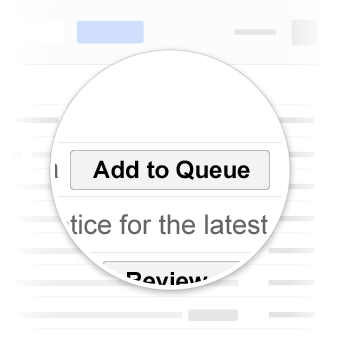
`SaveAction` can be used to describe interactions like saving a coupon or
adding songs to the listen queue. `SaveAction` can only be interacted with
**once**.
The following declaration adds a `SaveAction` button to an email about an offer:
### JSON-LD
### Microdata
## Test your markup
You can validate your markup using the
[Email Markup Tester Tool](https://www.google.com/webmasters/markup-tester/).
Paste in your markup code and click the **Validate** button to scan the content
and receive a report on any errors present.
## Specification
For properties available to these actions, refer to the documentation for the
specific types
[ConfirmAction](https://developers.google.com/workspace/gmail/markup/reference/types/ConfirmAction) and
[SaveAction](https://developers.google.com/workspace/gmail/markup/reference/types/SaveAction).
> [!NOTE]
> **Note:** Some schemas that Google uses are still going through the standardization process of [Schema.org](https://schema.org) and might change in the future. For more information, see [Schema.org proposals](https://developers.google.com/workspace/gmail/markup/reference/schema-org-proposals).