
Note: The Community Visualization feature is in Developer Preview. To learn more about upcoming features and improvements during this period, visit the Developer Preview page.
To load a community visualization you've developed, use the location of the
manifest file prefixed by gs://.
- Edit your report
- In the toolbar, click Community visualizations and components
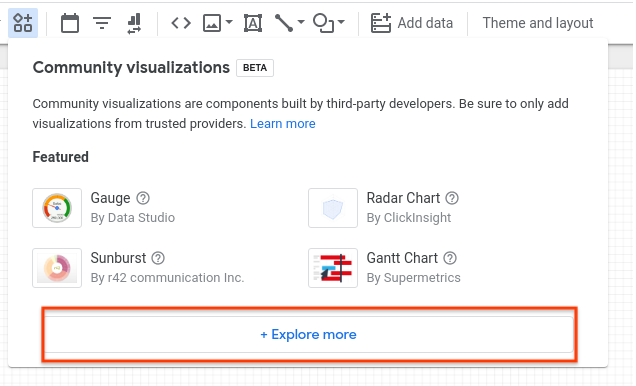
- In the dialog, click Explore more to open the Community Gallery shade
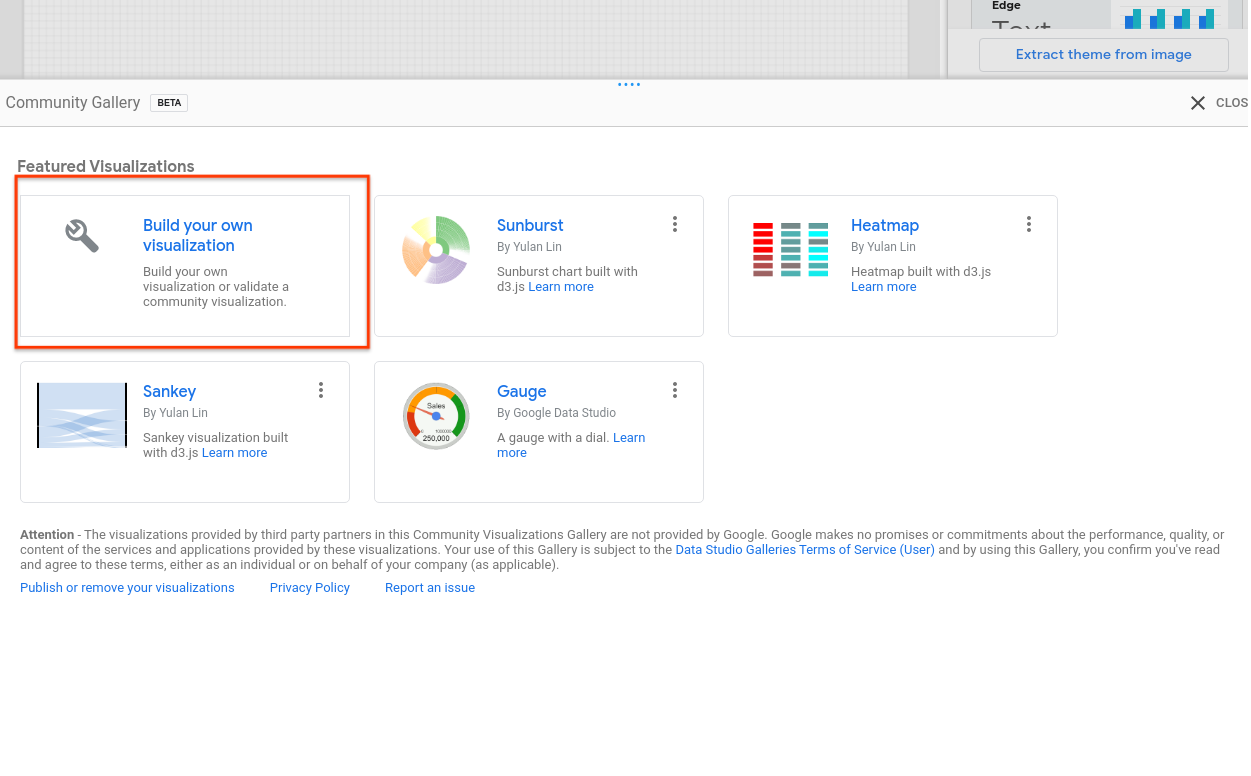
- Click Build your own visualization
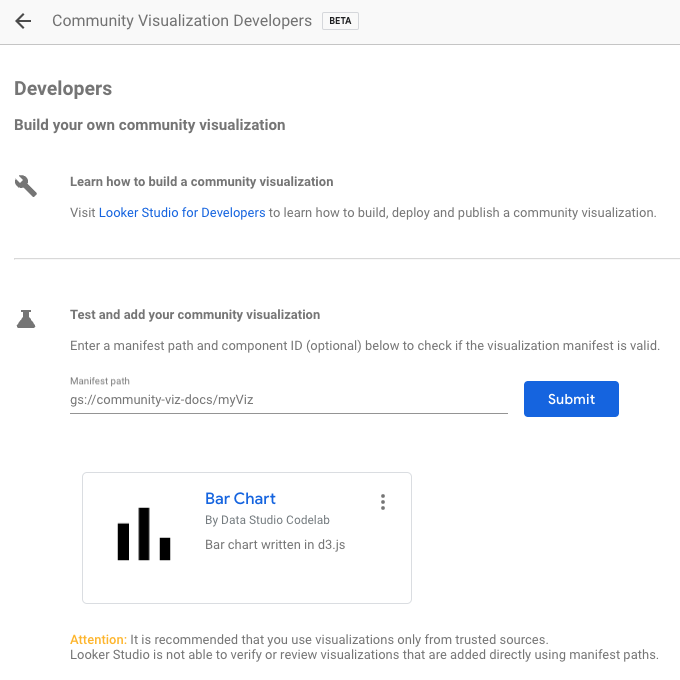
- Enter your Manifest Path and click Submit. One visualization icon will be rendered for each component in your manifest. Click a visualization icon to add it to your report.
Next steps
Now that you have written and deployed a community visualization, share the visualizations that you build.