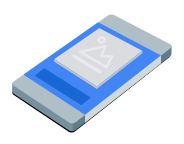
Squeezeback ads inset your app content into a smaller view and display a native ad in the surrounding space. This format lets users interact with your app while the ad remains visible. To display ads that don't cover your app content, choose this format.
This guide covers requesting and displaying squeezeback ads in your app using GMA Next-Gen SDK.
Before you begin
Before you continue, do the following:
Install GMA Next-Gen SDK version
1.7.0or later.Enable test ads and use the following test native ad unit ID:
ca-app-pub-3940256099942544/9983381271
Load an ad
To load a
SqueezebackAd
object, create an ad request and call the load method. The following example
saves the loaded squeezeback ad, registers for ad events, and logs an
error on failure:
Kotlin
Java
Replace AD_UNIT_ID with your ad unit ID.
Show the ad
To display the squeezeback ad on screen, call the show method:
Kotlin
private fun showSqueezebackAd(activity: Activity) {
  // Capture the ad reference saved from the onAdLoaded callback.
  val ad = squeezebackAd
  if (ad != null) {
    ad.show(activity)
  } else {
    Log.d(TAG, "No ad to show.")
  }
}
Java
private void showSqueezebackAd(@NonNull Activity activity) {
  // Use the ad reference saved from the onAdLoaded callback.
  if (squeezebackAd != null) {
    squeezebackAd.show(activity);
  } else {
    Log.d(TAG, "No ad to show.");
  }
}
Set the fallback background color
By default, GMA Next-Gen SDK displays a dark gray background behind the reduced app content and ad. To customize this color, specify a fallback background color in your ad options when showing the ad. The following example sets the fallback background color to dark gray and shows the ad:
Kotlin
private fun showSqueezebackAdWithFallbackBackgroundColor(activity: Activity) {
  // Capture the ad reference saved from the onAdLoaded callback.
  val ad = squeezebackAd
  if (ad != null) {
    val options =
      SqueezebackAdOptions.Builder()
        // Sets the fallback background color for the space behind the shrunken content and ad.
        .setFallbackBackgroundColor(Color.DKGRAY)
        .build()
    ad.show(activity, options)
  } else {
    Log.d(TAG, "No ad to show.")
  }
}
Java
private void showSqueezebackAdWithFallbackBackgroundColor(@NonNull Activity activity) {
  // Use the ad reference saved from the onAdLoaded callback.
  if (squeezebackAd != null) {
    SqueezebackAdOptions options =
        new SqueezebackAdOptions.Builder()
            // Sets the fallback background color for the space behind the shrunken content and
            // ad.
            .setFallbackBackgroundColor(Color.DKGRAY)
            .build();
    squeezebackAd.show(activity, options);
  } else {
    Log.d(TAG, "No ad to show.");
  }
}
Listen to ad events
To handle squeezeback ad lifecycle events, register for ad events before displaying your ad. These events report ad interactions, such as clicks and impressions. These events also report squeezeback-specific events, such as when the ad shows, fails to show, or hides.
Kotlin
private fun setAdEventCallback(squeezebackAd: SqueezebackAd) {
  squeezebackAd.adEventCallback =
    object : SqueezebackAdEventCallback {
      override fun onAdShown() {
        Log.d(TAG, "Squeezeback ad shown.")
      }

      override fun onAdHidden() {
        // Called when hide() is invoked or the user taps the close button.
        // The ad cannot be shown again after it is hidden.
        Log.d(TAG, "Squeezeback ad hidden.")
      }

      override fun onAdFailedToShow(error: FullScreenContentError) {
        Log.w(TAG, "Squeezeback ad failed to show: $error")
      }

      override fun onAdImpression() {
        Log.d(TAG, "Squeezeback ad recorded an impression.")
      }

      override fun onAdClicked() {
        Log.d(TAG, "Squeezeback ad recorded a click.")
      }

      override fun onAdShowedFullScreenContent() {
        Log.d(TAG, "Squeezeback ad showed full screen content.")
      }

      override fun onAdDismissedFullScreenContent() {
        Log.d(TAG, "Squeezeback ad dismissed full screen content.")
      }

      override fun onAdFailedToShowFullScreenContent(
        fullScreenContentError: FullScreenContentError
      ) {
        Log.w(TAG, "Squeezeback ad failed to show full screen content: $fullScreenContentError")
      }

      override fun onAdPaid(value: AdValue) {
        Log.d(TAG, "Squeezeback ad paid: ${value.valueMicros} ${value.currencyCode}")
      }
    }
}
Java
private void setAdEventCallback(@NonNull SqueezebackAd squeezebackAd) {
  squeezebackAd.setAdEventCallback(
      new SqueezebackAdEventCallback() {
        @Override
        public void onAdShown() {
          Log.d(TAG, "Squeezeback ad shown.");
        }

        @Override
        public void onAdHidden() {
          // Called when hide() is invoked or the user taps the close button.
          // The ad cannot be shown again after it is hidden.
          Log.d(TAG, "Squeezeback ad hidden.");
        }

        @Override
        public void onAdFailedToShow(@NonNull FullScreenContentError error) {
          Log.w(TAG, "Squeezeback ad failed to show: " + error);
        }

        @Override
        public void onAdImpression() {
          Log.d(TAG, "Squeezeback ad recorded an impression.");
        }

        @Override
        public void onAdClicked() {
          Log.d(TAG, "Squeezeback ad recorded a click.");
        }

        @Override
        public void onAdShowedFullScreenContent() {
          Log.d(TAG, "Squeezeback ad showed full screen content.");
        }

        @Override
        public void onAdDismissedFullScreenContent() {
          Log.d(TAG, "Squeezeback ad dismissed full screen content.");
        }

        @Override
        public void onAdFailedToShowFullScreenContent(
            @NonNull FullScreenContentError fullScreenContentError) {
          Log.w(
              TAG,
              "Squeezeback ad failed to show full screen content: " + fullScreenContentError);
        }

        @Override
        public void onAdPaid(@NonNull AdValue value) {
          Log.d(
              TAG,
              "Squeezeback ad paid: " + value.getValueMicros() + " " + value.getCurrencyCode());
        }
      });
}
After the user dismisses the ad, GMA Next-Gen SDK invokes the ad hidden event, and you can no longer show the ad again.
Hide the ad
To remove the ad and restore your app content to full size, call the hide
method. This method invokes the ad hidden event. The following example checks
for a saved squeezeback ad reference and hides the ad if available:
Kotlin
private fun hideSqueezebackAd() {
  // Capture the ad reference saved from the onAdLoaded callback.
  val ad = squeezebackAd
  if (ad != null) {
    ad.hide()
  } else {
    Log.d(TAG, "No ad to hide.")
  }
}
Java
private void hideSqueezebackAd() {
  // Use the ad reference saved from the onAdLoaded callback.
  if (squeezebackAd != null) {
    squeezebackAd.hide();
  } else {
    Log.d(TAG, "No ad to hide.");
  }
}
Clean up ad resources
To avoid memory leaks, drop your reference to the ad object when your app finishes using the ad. The following example cleans up the ad:
Kotlin
private fun cleanUpSqueezebackAd() {
  squeezebackAd?.destroy()
  squeezebackAd = null
}
Java
private void cleanUpSqueezebackAd() {
  // Use the ad reference saved from the onAdLoaded callback.
  if (squeezebackAd != null) {
    squeezebackAd.destroy();
    squeezebackAd = null;
  }
}