

শুরু করুন
স্যাম্পেল কোড ব্যবহার করার আগে আপনাকে ডেভেলপমেন্ট এনভায়রনমেন্ট কনফিগার করতে হবে। আরও তথ্যের জন্য, Flutter প্রোজেক্ট সেট-আপ করুন।
কোড দেখুন
Dart
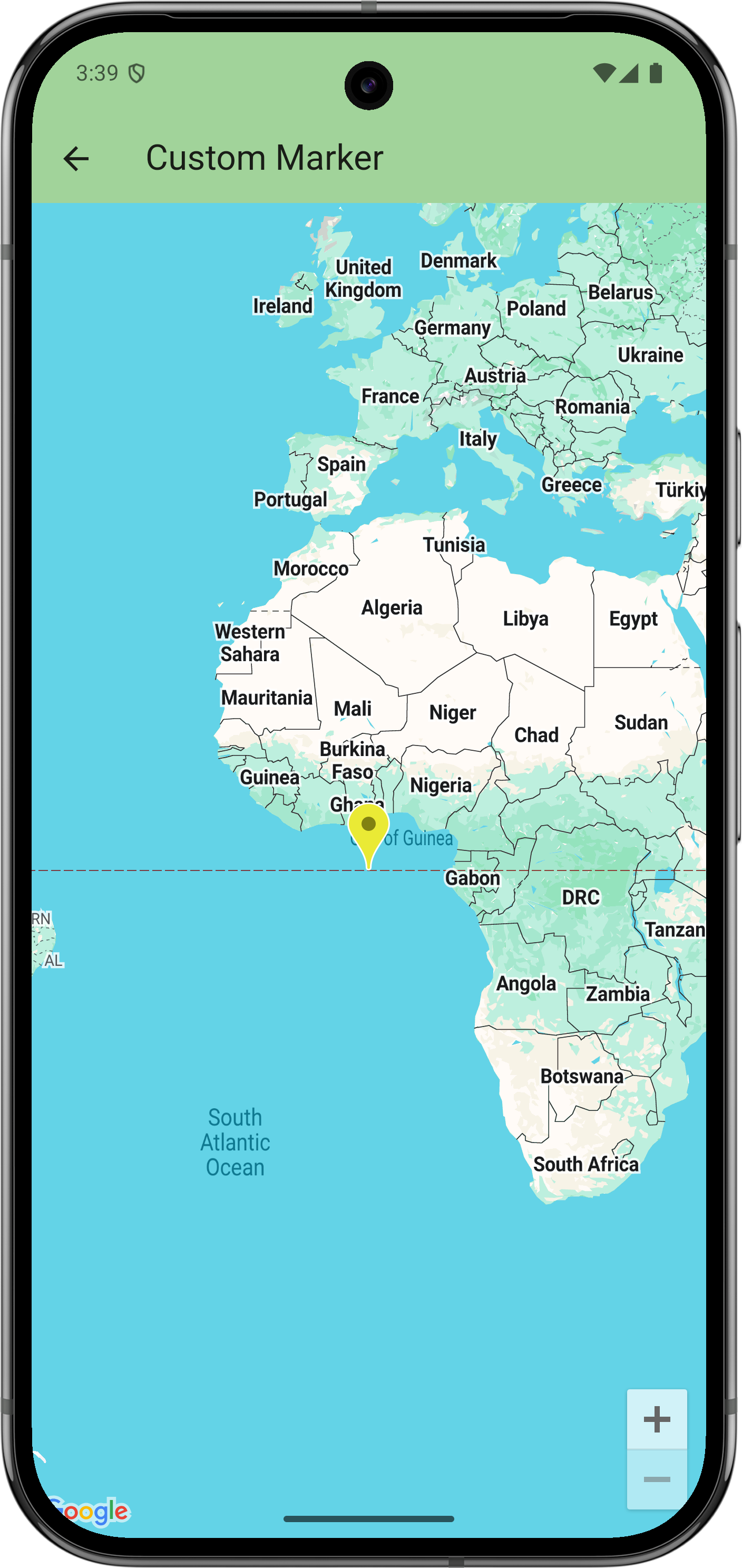
// Copyright 2025 Google LLC // // Licensed under the Apache License, Version 2.0 (the "License"); // you may not use this file except in compliance with the License. // You may obtain a copy of the License at // // https://www.apache.org/licenses/LICENSE-2.0 // // Unless required by applicable law or agreed to in writing, software // distributed under the License is distributed on an "AS IS" BASIS, // WITHOUT WARRANTIES OR CONDITIONS OF ANY KIND, either express or implied. // See the License for the specific language governing permissions and // limitations under the License. import 'package:flutter/material.dart'; import 'package:google_maps_flutter/google_maps_flutter.dart'; /// Shows advanced options of markers. class CustomMarkerSample extends StatefulWidget { const CustomMarkerSample({super.key}); @override State<CustomMarkerSample> createState() => _CustomMarkerSampleState(); } class _CustomMarkerSampleState extends State<CustomMarkerSample> { late Marker _marker = Marker( markerId: MarkerId('my_marker'), // Start with the default Google Maps pin, except yellow. // (Note: Hue isn't supported on all platforms.) icon: BitmapDescriptor.defaultMarkerWithHue(BitmapDescriptor.hueYellow), onTap: _changeIcon, ); @override Widget build(BuildContext context) { return GoogleMap( initialCameraPosition: CameraPosition(target: LatLng(0, 0)), markers: {_marker}, ); } void _changeIcon() async { // Set up the image configuration for the new icon, including its size. final imageConfiguration = createLocalImageConfiguration( context, size: Size(42, 52), ); // Load the icon image from an asset. // Alternatively, you can create the icon with BitmapDescriptor.bytes(), // which allows loading from network or using a CustomPainter. final assetIcon = await BitmapDescriptor.asset( imageConfiguration, 'assets/icon_flutter.png', ); setState(() { // Modify the existing marker with the new icon and set its anchor // to center. _marker = _marker.copyWith( iconParam: assetIcon, anchorParam: const Offset(0.5, 0.5), ); }); } }
পরবর্তী ধাপ
GitHub-এ স্যাম্পেলের সম্পূর্ণ সেট দেখুন:
অন্যথায়, নিম্নলিখিত কমান্ডগুলি এক্সিকিউট করে স্যাম্পেলের সম্পূর্ণ সেট ক্লোন করুন যাতে সেগুলি লোকালি রান করা যায়:
git clone -b flutter_samples https://github.com/googlemaps-samples/flutter-maps-samples.gitcd flutter-samplesflutter pub get