By default, data is delivered to Google Drive. However, you can optionally configure direct delivery to a data lake using your own Amazon S3, Google Cloud, or SFTP storage instead.
To configure delivery to a data lake:
In the Projects tab of the MMM Data Platform, click the settings gear icon in the top right hand corner.
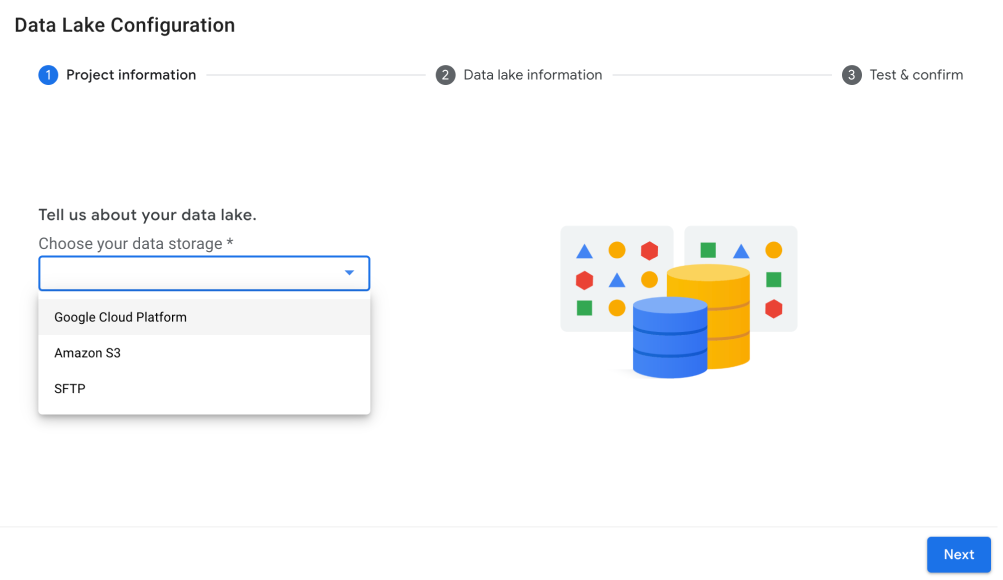
Select a data lake. Choose either Amazon S3, Google Cloud, or SFTP from the data storage drop-down list. Click Next.
Enter the required credentials for the data storage option you selected.
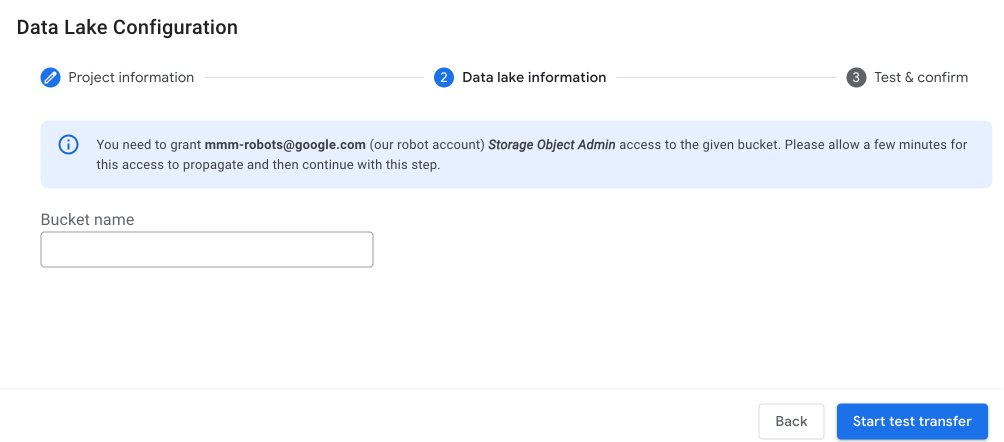
Google Cloud Platform: Enter the bucket name. You must also grant Storage Object Admin access to Google's MMM Data Platform robot alias: mmm-robots@google.com. This allows Google to send data directly to your Google Cloud bucket.
Amazon S3: Enter the bucket name, access key ID, and secret access key. Optionally, you can enter the region.
SFTP: Enter the path, host, port number, and username.
Click Start test transfer to initiate a test delivery, and then check your data lake to confirm that you received the test delivery. It can take a few minutes for the test delivery to complete.
Click Confirm and Enable in the bottom right corner of the dialog. You can see your configuration in the top right hand corner of the Projects tab.
Completing this step enables direct delivery for all future projects where you are the data owner or have an active Data Sharing Agreement on file.