Grant access to MMM Data Platform
Stay organized with collections
Save and categorize content based on your preferences.
Google allows an organization's primary user to enable other users to request
data from the MMM Data Platform.
To grant access to MMM Data Platform:
- Sign in to MMM DataPlatform as the primary user.
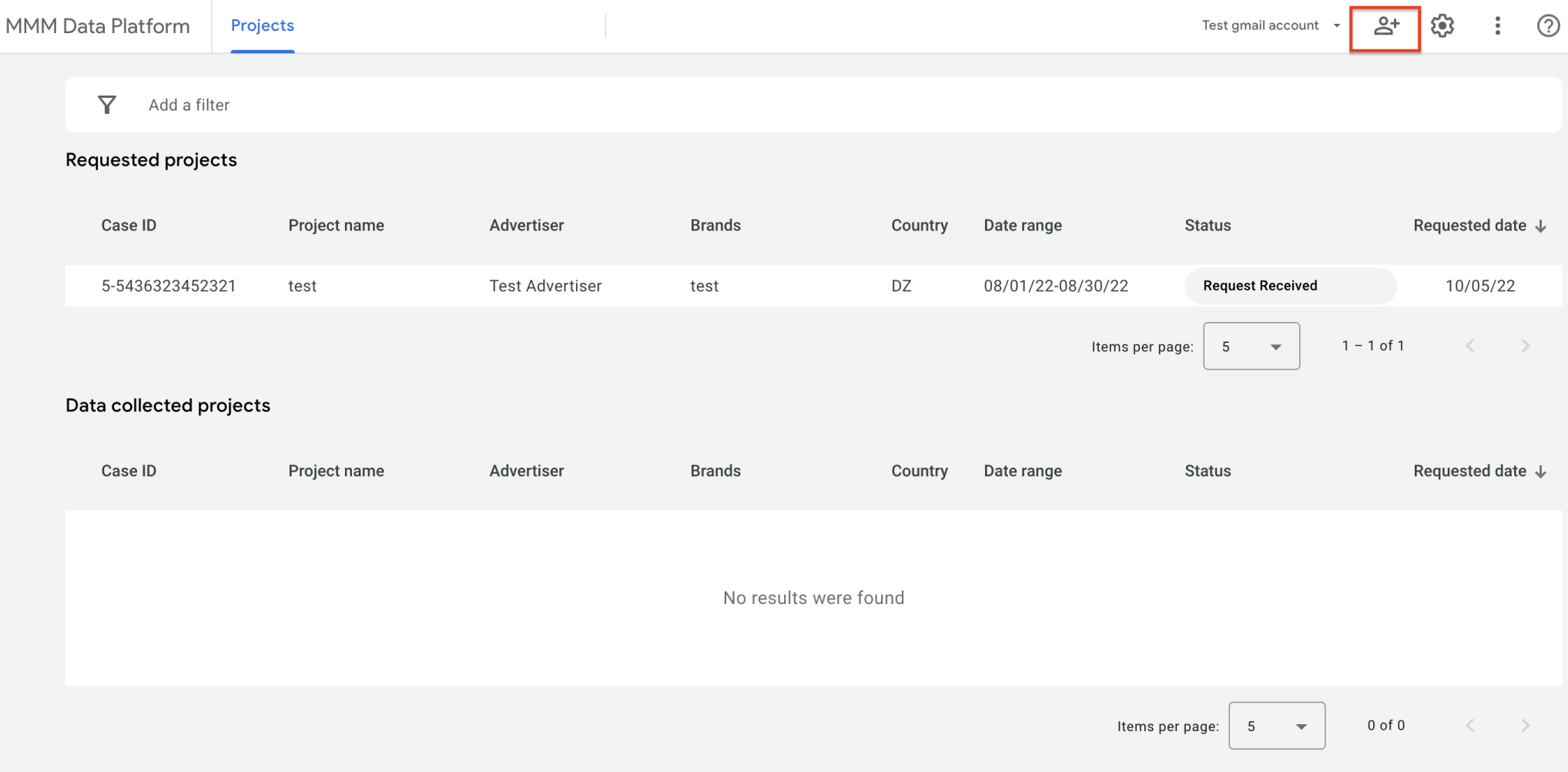
Click the person icon in the top-right-corner of the screen.
Add a user's corporate email address and assign a permission level.
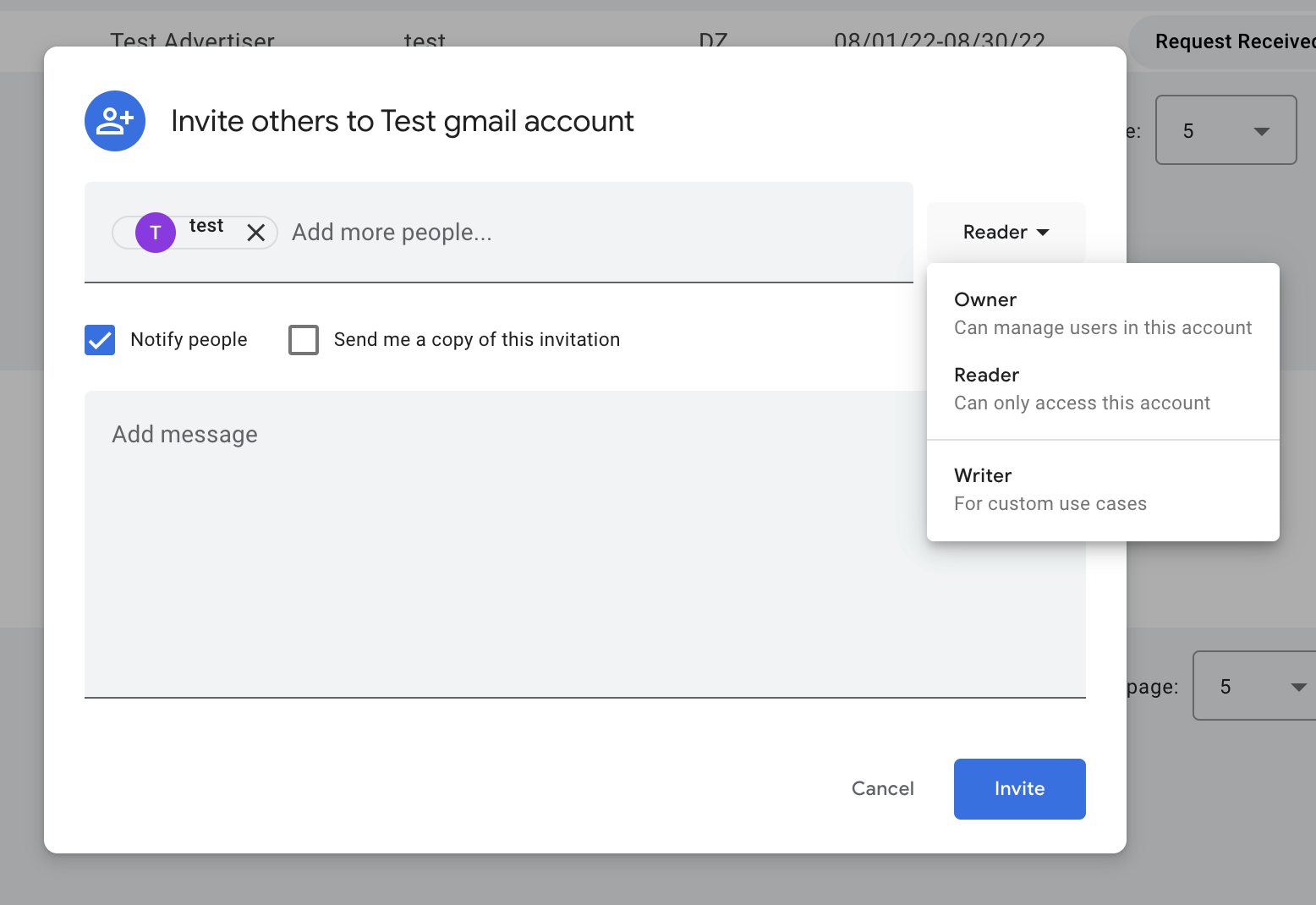
- Owner: Can manage users in this account and submit data requests.
- Reader: Can only access and view existing projects in this account.
- Writer: Can create custom use cases.
Select Notify people, and click Invite to send an automated email to
the user with an access link.
Except as otherwise noted, the content of this page is licensed under the Creative Commons Attribution 4.0 License, and code samples are licensed under the Apache 2.0 License. For details, see the Google Developers Site Policies. Java is a registered trademark of Oracle and/or its affiliates.
Last updated 2025-10-28 UTC.
[null,null,["Last updated 2025-10-28 UTC."],[],[]]