
כדי להגדיר את הסגנון מבוסס-הנתונים למערכי נתונים, פועלים לפי השלבים הבאים:
קבלת מפתח API והפעלת ממשקי API
לפני שמשתמשים בסגנון מבוסס-נתונים למערכי נתונים, צריך: פרויקט ב-Cloud עם חשבון לחיוב, וגם את Maps SDK ל-iOS ואת Maps Datasets API מופעלים. מידע נוסף זמין במאמרים הבאים:
יצירת מזהה מפה
מזהה מפה הוא מזהה ייחודי שמייצג מפרט של מפה ב-Google. אפשר ליצור מזהי מפה ולעדכן את הסגנון שמשויך למזהה מפה בכל שלב במסוף Google Cloud.
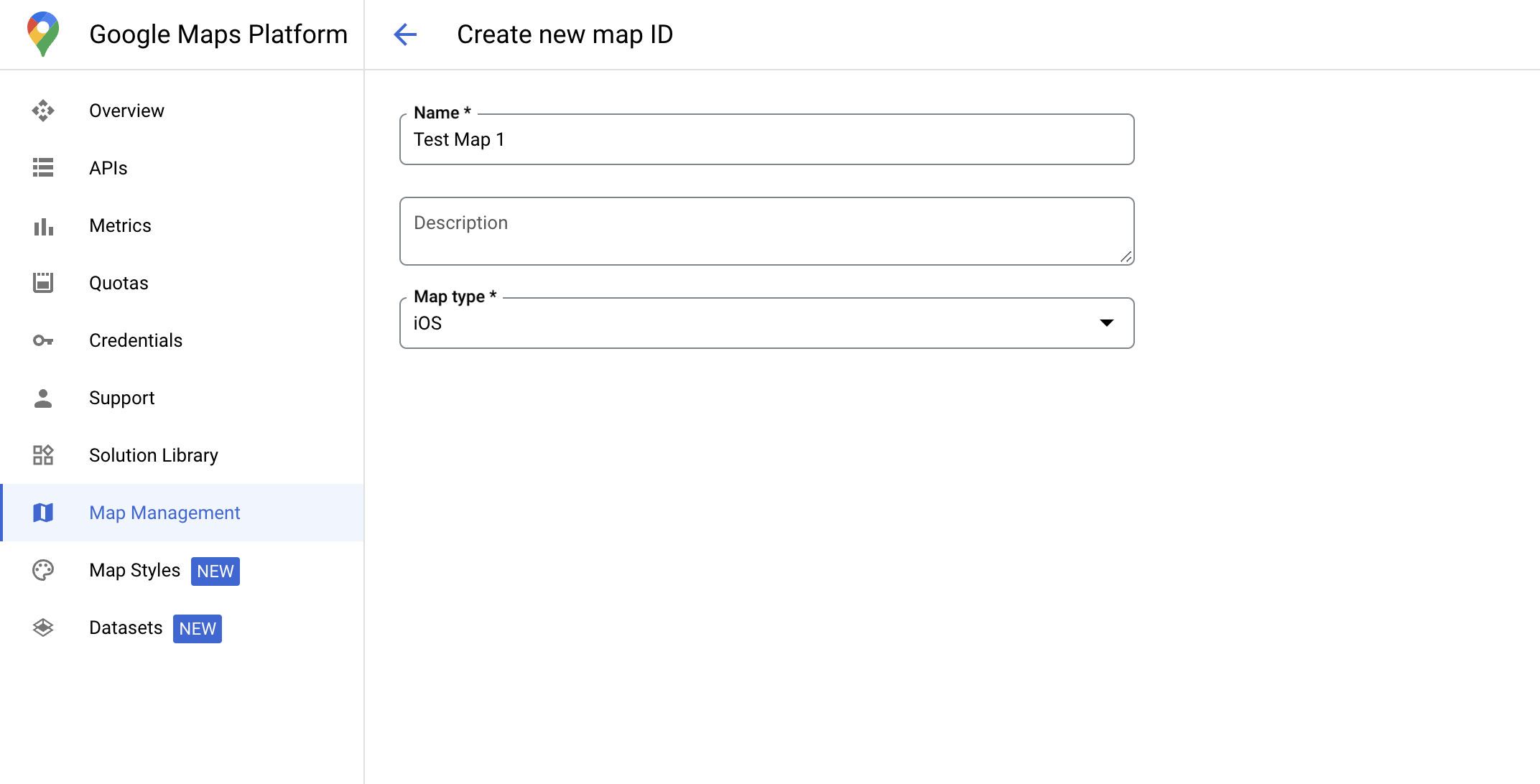
יצירת סגנון מפה חדש
כדי ליצור סגנון מפה חדש, פועלים לפי ההוראות במאמר יצירה של סגנונות מפה ושימוש בהם. בסיום, משייכים את הסגנון למזהה המפה החדש שנוצר.
עדכון קוד האתחול של המפה
בשלב הזה צריך לשייך מזהה מפה לסגנון שבו שכבת תכונות אחת או יותר מופעלת. כדי לוודא שמזהה המפה מוגדר בצורה נכונה במסוף Cloud, בודקים את ההגדרה שלו בקטע ניהול המפות.
Swift
// A map ID using a style with one or more feature layers enabled

let mapID = GMSMapID(identifier: "YOUR_MAP_ID")
let mapView = GMSMapView(frame: .zero, mapID: mapID, camera: GMSCameraPosition(latitude: 40, longitude: -80, zoom: 7))
Objective-C
// A map ID using a style with one or more feature layers enabled

GMSMapID *mapID = [GMSMapID mapIDWithIdentifier:@"MAP_ID"];
GMSMapView *mapView = [GMSMapView mapWithFrame:CGRectZero mapID:mapID camera:[GMSCameraPosition cameraWithLatitude:40 longitude:-80 zoom:7]];
בדיקת היכולות של המפה
כדי להשתמש בסגנון מבוסס-נתונים למערכי נתונים, צריך להפעיל את היכולות האלה במסוף Google Cloud ולשייך אותן למזהה מפה. מכיוון שמזהי המפות עשויים להשתנות, אפשר להפעיל את mapView.mapCapabilities ב-GMSMapView כדי לוודא שיכולת מסוימת (למשל, עיצוב מבוסס-נתונים) זמינה לפני שמפעילים אותה.
אפשר גם לזהות שינויים ביכולות המפה על ידי הרשמה ל-GMSViewDelegate.
בדוגמה הזו מוסבר איך להשתמש בפרוטוקול כדי לבדוק את הדרישות של עיצוב מבוסס-נתונים.
Swift
class SampleViewController: UIViewController {

  private lazy var mapView: GMSMapView = GMSMapView(frame: .zero, mapID: GMSMapID(identifier: "YOUR_MAP_ID"), camera: GMSCameraPosition(latitude: 40, longitude: -80, zoom: 7))

  override func loadView() {
    self.view = mapView
    mapView.delegate = self
  }
}

extension SampleViewController: GMSMapViewDelegate {
  func mapView(_ mapView: GMSMapView, didChange mapCapabilities: GMSMapCapabilityFlags) {
    if (!mapCapabilities.contains(.dataDrivenStyling)) {
      // Data-driven styling is *not* available, add a fallback.
      // Existing feature layers are also unavailable.
    }
  }
}
Objective-C
@interface SampleViewController: UIViewController <GMSMapViewDelegate>
@end

@implementation SampleViewController
- (void)loadView {
  GMSMapView *mapView = [GMSMapView mapWithFrame:CGRectZero mapID:[GMSMapID mapIDWithIdentifier:@"MAP_ID"] camera:[GMSCameraPosition cameraWithLatitude:40 longitude:-80 zoom:7]];
  mapView.delegete = self;
  self.view = mapView;
}

- (void)mapView:(GMSMapView *)mapView didChangeMapCapabilities:(GMSMapCapabilityFlags)mapCapabilities {
  if (!(mapCapabilities & GMSMapCapabilityFlagsDataDrivenStyling)) {
    // Data-driven styling is *not* available, add a fallback.
    // Existing feature layers are also unavailable.
  }
}
@end