
구조화된 캐러셀(ItemList) 데이터
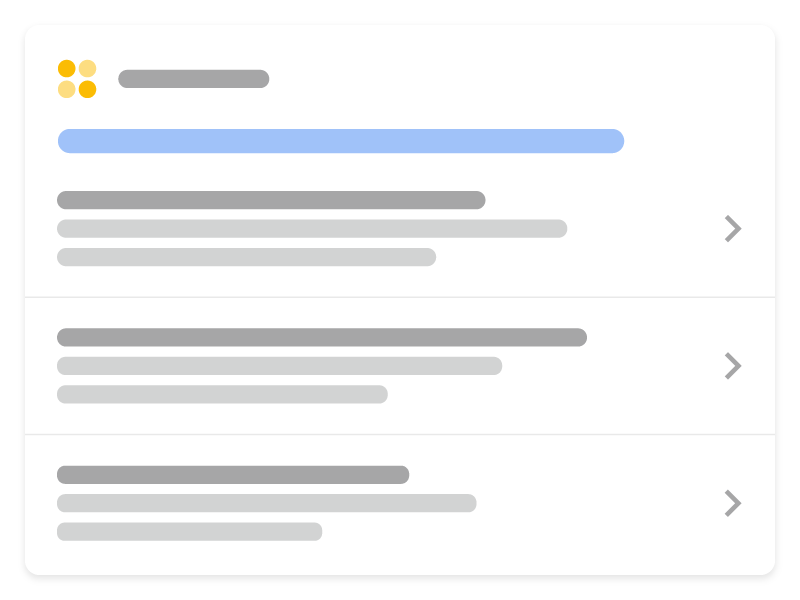
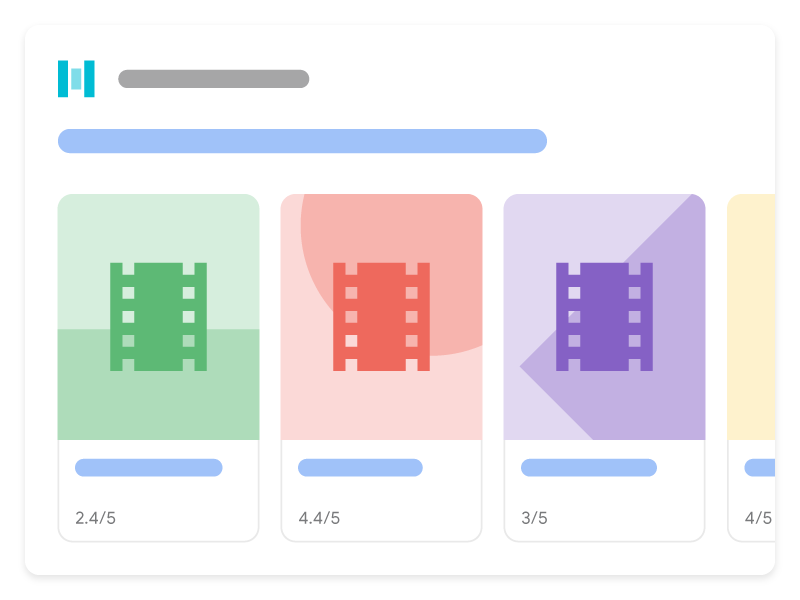
캐러셀은 사용자가 휴대기기에서 스와이프할 수 있는 목록과 같은 리치 결과입니다. 동일한 사이트의 여러 카드를 표시합니다(호스트 캐러셀이라고도 함). 사이트에 호스트 캐러셀 리치 결과를 사용하려면 지원되는 다음 콘텐츠 유형 중 하나와 함께 구조화된 ItemList 데이터를 사용하세요.
다음은 지원되는 콘텐츠 유형과 함께 ItemList 마크업을 추가하면 Google 검색에서 캐러셀이 표시되는 방식입니다.
구조화된 데이터 추가하기
구조화된 데이터는 페이지 정보를 제공하고 페이지 콘텐츠를 분류하기 위한 표준화된 형식입니다. 구조화된 데이터를 처음 사용한다면 구조화된 데이터의 작동 방식을 자세히 알아보세요.
다음은 구조화된 데이터를 사이트에 추가하는 방법에 관한 개요입니다.
- 어떤 페이지에 구조화된 캐러셀 데이터를 포함할지 결정합니다. 2가지 옵션이 있습니다.
- 요약 페이지 및 여러 세부정보 페이지: 요약 페이지에는 목록의 각 항목에 관한 간략한 설명이 있으며 각 설명은 한 항목에 완전히 초점을 맞춘 개별 세부정보 페이지를 가리킵니다. 예를 들어 요약 페이지는 최고의 쿠키 레시피를 나열하고 각 설명은 각 쿠키의 전체 레시피로 연결됩니다.
- 단일 올인원 페이지 목록: 각 항목의 전체 텍스트를 비롯하여 모든 목록 정보가 포함된 단일 페이지입니다. 예를 들어 2020년 인기 영화 목록이 모두 한 페이지에 포함되어 있습니다.
- 필수 속성을 추가합니다. 사용 중인 형식에 따라 페이지에 구조화된 데이터를 삽입하는 위치를 알아보세요.
- 캐러셀의 콘텐츠 유형에 맞춰 필수 및 권장 속성을 추가합니다.
- 가이드라인을 따릅니다.
- 리치 결과 테스트를 사용하여 코드의 유효성을 검사합니다.
- 구조화된 데이터를 포함하는 일부 페이지를 배포하고 URL 검사 도구를 사용하여 Google에서 페이지를 표시하는 방법을 테스트합니다. Google이 페이지에 액세스할 수 있으며 robots.txt 파일,
noindex태그 또는 로그인 요구사항에 의해 차단되지 않는지 확인합니다. 페이지가 정상적으로 표시되면 Google에 URL을 재크롤링하도록 요청할 수 있습니다. - Google에 향후 변경사항을 계속 알리려면 사이트맵을 제출하는 것이 좋습니다. 이는 Search Console Sitemap API를 사용하여 자동화할 수 있습니다.
요약 페이지 및 여러 세부정보 페이지
요약 페이지에는 목록의 각 항목에 관한 간략한 설명이 있으며 각 설명은 한 항목에 완전히 초점을 맞춘 개별 세부정보 페이지를 가리킵니다.
요약 페이지
요약 페이지는 ItemList를 정의합니다. 이때 각 ListItem에는 @type(ListItem으로 설정됨), position(목록 내의 위치), url(항목에 관한 전체 세부정보가 있는 페이지의 URL)이라는 세 가지 속성만 있습니다.
다음은 요약 페이지가 표시되는 예입니다.
<html>
  <head>
    <title>Best cookie recipes</title>
    <script type="application/ld+json">
    {
      "@context":"https://schema.org",
      "@type":"ItemList",
      "itemListElement":[
        {
          "@type":"ListItem",
          "position":1,
          "url":"https://example.com/peanut-butter-cookies.html"
        },
        {
          "@type":"ListItem",
          "position":2,
          "url":"https://example.com/triple-chocolate-chunk.html"
        },
        {
          "@type":"ListItem",
          "position":3,
          "url":"https://example.com/snickerdoodles.html"
        }
      ]
    }
    </script>
  </head>
  <body>
    <p>
      Here are the best cookie recipes of all time.
    </p>
    <h2>
      Peanut Butter Cookies
    </h2>
    <p>
      This <a href="https://example.com/peanut-butter-cookies.html">Peanut Butter Cookie recipe</a> is the tastiest one you'll find.
    </p>
    <h2>
      Triple Chocolate Chunk Cookies
    </h2>
    <p>
      This <a href="https://example.com/triple-chocolate-chunk.html">Triple Chocolate Chunk Cookies recipe</a> is the tastiest one you'll find.
    </p>
    <h2>
      Snickerdoodles
    </h2>
    <p>
      This <a href="https://example.com/snickerdoodles.html">Snickerdoodles recipe</a> is the tastiest one you'll find.
    </p>
  </body>
</html>
세부정보 페이지
세부정보 페이지는 캐러셀의 구조화된 특정 데이터 유형을 정의합니다. 예를 들어 요약 페이지가 최고의 쿠키 레시피에 관한 것이라면 각 세부정보 페이지에는 특정 레시피의 구조화된 Recipe 데이터가 포함됩니다.
다음은 세부정보 페이지가 표시되는 예입니다.
땅콩버터 쿠키
<html>
  <head>
    <title>Peanut Butter Cookies</title>
    <script type="application/ld+json">
    {
      "@context": "https://schema.org/",
      "@type": "Recipe",
      "name": "Peanut Butter Cookies",
      "image": [
        "https://example.com/photos/1x1/photo.jpg",
        "https://example.com/photos/4x3/photo.jpg",
        "https://example.com/photos/16x9/photo.jpg"
      ],
      "author": {
        "@type": "Person",
        "name": "Wendy Darling"
      },
      "datePublished": "2024-03-10",
      "description": "This Peanut Butter Cookie recipe is everyone's favorite",
      "prepTime": "PT10M",
      "cookTime": "PT25M",
      "totalTime": "PT35M",
      "recipeCuisine": "French",
      "recipeCategory": "Cookies",
      "keywords": "peanut butter, cookies",
      "recipeYield": 24,
      "nutrition": {
        "@type": "NutritionInformation",
        "calories": "120 calories"
      },
      "aggregateRating": {
        "@type": "AggregateRating",
        "ratingValue": 5,
        "ratingCount": 18
      },
      "recipeIngredient": [
        "2 cups of peanut butter",
        "1/3 cup of sugar"
      ],
      "recipeInstructions": [
        {
          "@type": "HowToStep",
          "text": "Mix together the peanut butter and sugar."
        },
        {
          "@type": "HowToStep",
          "text": "Roll cookie dough into small balls and place on a cookie sheet."
        },
        {
          "@type": "HowToStep",
          "text": "Bake for 25 minutes."
        }
      ],
      "video": {
        "@type": "VideoObject",
        "name": "How to Peanut Butter Cookies",
        "description": "This is how you make peanut butter cookies.",
        "thumbnailUrl": [
          "https://example.com/photos/1x1/photo.jpg",
          "https://example.com/photos/4x3/photo.jpg",
          "https://example.com/photos/16x9/photo.jpg"
         ],
        "contentUrl": "https://www.example.com/video123.mp4",
        "embedUrl": "https://www.example.com/videoplayer?video=123",
        "uploadDate": "2024-02-05T08:00:00+08:00",
        "duration": "PT1M33S",
        "interactionStatistic": {
          "@type": "InteractionCounter",
          "interactionType": { "@type": "WatchAction" },
          "userInteractionCount": 2347
        },
        "expires": "2025-02-05T08:00:00+08:00"
       }
    }
    </script>
  </head>
  <body>
    <p>
      Here's how to make peanut butter cookies.
    </p>
    <ol>
      <li>Mix together the peanut butter and sugar.</li>
      <li>Roll cookie dough into small balls and place on a cookie sheet.</li>
      <li>Bake for 25 minutes.</li>
    </ol>
  </body>
</html>
3중 초콜릿 청크 쿠키
<html>
  <head>
    <title>Triple Chocolate Chunk Cookies</title>
    <script type="application/ld+json">
    {
      "@context": "https://schema.org/",
      "@type": "Recipe",
      "name": "Triple Chocolate Chunk Cookies",
      "image": [
        "https://example.com/photos/1x1/photo.jpg",
        "https://example.com/photos/4x3/photo.jpg",
        "https://example.com/photos/16x9/photo.jpg"
      ],
      "author": {
        "@type": "Person",
        "name": "Wendy Darling"
      },
      "datePublished": "2024-03-10",
      "description": "This Triple Chocolate Chunk Cookie recipe is everyone's favorite",
      "prepTime": "PT10M",
      "cookTime": "PT25M",
      "totalTime": "PT35M",
      "recipeCuisine": "French",
      "recipeCategory": "Cookies",
      "keywords": "chocolate, cookies",
      "recipeYield": 24,
      "nutrition": {
        "@type": "NutritionInformation",
        "calories": "120 calories"
      },
      "aggregateRating": {
        "@type": "AggregateRating",
        "ratingValue": 5,
        "ratingCount": 18
      },
      "recipeIngredient": [
        "2 cups of melted chocolate",
        "1/3 cup of sugar"
      ],
      "recipeInstructions": [
        {
          "@type": "HowToStep",
          "text": "Mix together the chocolate and sugar."
        },
        {
          "@type": "HowToStep",
          "text": "Roll cookie dough into small balls and place on a cookie sheet."
        },
        {
          "@type": "HowToStep",
          "text": "Bake for 25 minutes."
        }
      ],
      "video": {
        "@type": "VideoObject",
        "name": "How to Triple Chocolate Chunk Cookies",
        "description": "This is how you make peanut butter cookies.",
        "thumbnailUrl": [
          "https://example.com/photos/1x1/photo.jpg",
          "https://example.com/photos/4x3/photo.jpg",
          "https://example.com/photos/16x9/photo.jpg"
         ],
        "contentUrl": "https://www.example.com/video123.mp4",
        "embedUrl": "https://www.example.com/videoplayer?video=123",
        "uploadDate": "2024-02-05T08:00:00+08:00",
        "duration": "PT1M33S",
        "interactionStatistic": {
          "@type": "InteractionCounter",
          "interactionType": { "@type": "WatchAction" },
          "userInteractionCount": 2347
        },
        "expires": "2025-02-05T08:00:00+08:00"
       }
    }
    </script>
  </head>
  <body>
    <p>
      Here's how to make Triple Chocolate Chunk Cookies.
    </p>
    <ol>
      <li>Mix together the chocolate and sugar.</li>
      <li>Roll cookie dough into small balls and place on a cookie sheet.</li>
      <li>Bake for 25 minutes.</li>
    </ol>
  </body>
</html>
스니커두들
<html>
  <head>
    <title>Snickerdoodles</title>
    <script type="application/ld+json">
    {
      "@context": "https://schema.org/",
      "@type": "Recipe",
      "name": "Snickerdoodles",
      "image": [
        "https://example.com/photos/1x1/photo.jpg",
        "https://example.com/photos/4x3/photo.jpg",
        "https://example.com/photos/16x9/photo.jpg"
      ],
      "author": {
        "@type": "Person",
        "name": "Wendy Darling"
      },
      "datePublished": "2024-03-10",
      "description": "This Snickerdoodles recipe is everyone's favorite",
      "prepTime": "PT10M",
      "cookTime": "PT25M",
      "totalTime": "PT35M",
      "recipeCuisine": "French",
      "recipeCategory": "Cookies",
      "keywords": "cinnamon sugar, cookies",
      "recipeYield": 24,
      "nutrition": {
        "@type": "NutritionInformation",
        "calories": "120 calories"
      },
      "aggregateRating": {
        "@type": "AggregateRating",
        "ratingValue": 5,
        "ratingCount": 18
      },
      "recipeIngredient": [
        "2 cups of cinnamon",
        "1/3 cup of sugar"
      ],
      "recipeInstructions": [
        {
          "@type": "HowToStep",
          "text": "Mix together the cinnamon and sugar."
        },
        {
          "@type": "HowToStep",
          "text": "Roll cookie dough into small balls and place on a cookie sheet."
        },
        {
          "@type": "HowToStep",
          "text": "Bake for 25 minutes."
        }
      ],
      "video": {
        "@type": "VideoObject",
        "name": "How to Snickerdoodles",
        "description": "This is how you make snickerdoodles.",
        "thumbnailUrl": [
          "https://example.com/photos/1x1/photo.jpg",
          "https://example.com/photos/4x3/photo.jpg",
          "https://example.com/photos/16x9/photo.jpg"
         ],
        "contentUrl": "https://www.example.com/video123.mp4",
        "embedUrl": "https://www.example.com/videoplayer?video=123",
        "uploadDate": "2024-02-05T08:00:00+08:00",
        "duration": "PT1M33S",
        "interactionStatistic": {
          "@type": "InteractionCounter",
          "interactionType": { "@type": "WatchAction" },
          "userInteractionCount": 2347
        },
        "expires": "2025-02-05T08:00:00+08:00"
       }
    }
    </script>
  </head>
  <body>
    <p>
      Here's how to make snickerdoodles.
    </p>
    <ol>
      <li>Mix together the cinnamon and sugar.</li>
      <li>Roll cookie dough into small balls and place on a cookie sheet.</li>
      <li>Bake for 25 minutes.</li>
    </ol>
  </body>
</html>
단일 올인원 페이지 목록
단일 올인원 페이지 목록에는 각 항목의 전체 텍스트를 비롯하여 모든 캐러셀 정보가 포함됩니다. 예를 들어 2020년 인기 영화 목록이 모두 한 페이지에 포함되어 있습니다. 이 페이지는 다른 세부정보 페이지로 연결되지 않습니다.
다음은 단일 올인원 페이지의 예입니다.
<html>
  <head>
    <title>The Best Movies from the Oscars - 2024</title>
    <script type="application/ld+json">
    {
      "@context": "https://schema.org",
      "@type": "ItemList",
      "itemListElement": [
        {
          "@type": "ListItem",
          "position": 1,
          "item": {
            "@type": "Movie",
            "url": "https://example.com/2024-best-picture-noms#a-star-is-born",
            "name": "A Star Is Born",
            "image": "https://example.com/photos/6x9/photo.jpg",
            "dateCreated": "2024-10-05",
            "director": {
                "@type": "Person",
                "name": "Bradley Cooper"
              },
            "review": {
              "@type": "Review",
              "reviewRating": {
                "@type": "Rating",
                "ratingValue": 5
              },
              "author": {
                "@type": "Person",
                "name": "John D."
              }
            },
              "aggregateRating": {
                "@type": "AggregateRating",
                "ratingValue": 90,
                "bestRating": 100,
                "ratingCount": 19141
              }
            }
          },
        {
          "@type": "ListItem",
          "position": 2,
          "item": {
            "@type": "Movie",
            "name": "Bohemian Rhapsody",
            "url": "https://example.com/2024-best-picture-noms#bohemian-rhapsody",
            "image": "https://example.com/photos/6x9/photo.jpg",
            "dateCreated": "2024-11-02",
            "director": {
                "@type": "Person",
                "name": "Bryan Singer"
              },
            "review": {
              "@type": "Review",
              "reviewRating": {
                "@type": "Rating",
                "ratingValue": 3
              },
              "author": {
                "@type": "Person",
                "name": "Vin S."
              }
            },
              "aggregateRating": {
                "@type": "AggregateRating",
                "ratingValue": 61,
                "bestRating": 100,
                "ratingCount": 21985
              }
            }
          },
        {
          "@type": "ListItem",
          "position": 3,
          "item": {
            "@type": "Movie",
            "name": "Black Panther",
            "url": "https://example.com/2024-best-picture-noms#black-panther",
            "image": "https://example.com/photos/6x9/photo.jpg",
            "dateCreated": "2024-02-16",
            "director": {
                "@type": "Person",
                "name": "Ryan Coogler"
              },
            "review": {
              "@type": "Review",
              "reviewRating": {
                "@type": "Rating",
                "ratingValue": 2
              },
              "author": {
                "@type": "Person",
                "name": "Trevor R."
              }
            },
              "aggregateRating": {
                "@type": "AggregateRating",
                "ratingValue": 96,
                "bestRating": 100,
                "ratingCount": 88211
              }
            }
          }
      ]
    }
    </script>
  </head>
  <body>
  </body>
</html>
가이드라인
페이지가 캐러셀 리치 결과에 표시되려면 검색 Essentials 및 구조화된 데이터 일반 가이드라인을 준수해야 합니다. 또한 다음 가이드라인은 구조화된 캐러셀 데이터에 적용됩니다.
- 목록의 모든 항목은 동일한 유형이어야 합니다. 예를 들어 목록이 레시피에 관한 것이면
Recipe항목만 포함합니다. 다른 유형을 혼합하지 마세요. - 구조화된 캐러셀 데이터가 완전하고 페이지에 나열된 항목을 모두 포함하는지 확인합니다.
- 사용자에게 표시되는 텍스트는 페이지에 있는 구조화된 데이터에 포함된 정보와 유사해야 합니다.
- 목록 형식으로 표시되는 항목은
position속성에서 지정된 순서대로 표시됩니다.
구조화된 데이터 유효성 검사 및 배포
- 리치 결과 테스트를 사용하여 코드의 유효성을 검사합니다. 요약 페이지의 경우 직접 확인해야 하는 몇 가지가 있습니다.
- 구조화된 데이터를 포함하는 일부 페이지를 배포하고 URL 검사 도구를 사용하여 Google에서 페이지를 어떻게 인식하는지 테스트합니다. Google이 페이지에 액세스할 수 있으며 robots.txt 파일,
noindex태그 또는 로그인 요구사항에 의해 차단되지 않는지 확인합니다. 페이지가 정상적으로 표시되면 Google에 URL을 재크롤링해 달라고 요청할 수 있습니다. - Google에 향후 변경사항을 계속 알리려면 사이트맵을 제출하는 것이 좋습니다. 이는 Search Console Sitemap API를 사용하여 자동화할 수 있습니다.
구조화된 데이터 유형 정의
리치 결과에 콘텐츠를 표시하려면 필수 속성이 있어야 합니다.
ItemList
ItemList는 목록의 모든 요소를 포함하는 컨테이너 항목입니다. 요약 페이지에서 사용되는 경우 목록에 있는 모든 URL이 동일한 도메인의 다른 페이지를 가리켜야 합니다. 올인원 페이지 목록에서 사용되는 경우 모든 URL은 구조화된 목록 데이터를 호스팅하는 페이지의 앵커를 가리켜야 합니다.
ItemList의 전체 정의는 schema.org/ItemList에서 확인할 수 있습니다.
Google에서 지원하는 속성은 다음과 같습니다.
| 필수 속성 | |
|---|---|
itemListElement |
항목 목록입니다. 목록을 지정하려면 |
ListItem
ListItem에는 목록의 개별 항목에 관한 세부정보가 있습니다.
- 요약 페이지인 경우
ListItem에type,position,url속성만 포함합니다. - 올인원 페이지 목록인 경우 설명하는 데이터 유형의 모든 추가 schema.org 속성을 포함합니다. 지원되는 데이터 유형은 다음과 같습니다.
ListItem의 전체 정의는 schema.org/ListItem에서 확인할 수 있습니다.
요약 페이지
다음 속성은 요약 페이지에 적용됩니다.
| 필수 속성 | |
|---|---|
position
|
캐러셀에 있는 항목의 위치로 1진수로 표시되는 숫자입니다. |
url
|
항목 세부정보 페이지의 표준 URL입니다. 목록에 있는 모든 URL은 고유해야 하며 동일한 도메인에 게시되어 있어야 합니다(동일한 도메인 또는 현재 페이지의 하위/최상위 도메인). |
올인원 페이지
다음 속성은 올인원 페이지에 적용됩니다.
| 필수 속성 | |
|---|---|
item
|
목록의 개별 항목입니다. 이 객체를 다음 값 및 다음에서 설명되는 구조화된 특정 데이터 유형의 모든 속성으로 채우세요. |
item.name
|
항목의 문자열 이름입니다. |
item.url
|
페이지에 있는 이 항목의 정규화된 URL 및 페이지 앵커입니다. URL은 현재 페이지여야 하며 페이지에 있는 사용자에게 표시되는 텍스트 가까이에 HTML 앵커( |
position
|
캐러셀에 있는 항목의 위치로 1진수로 표시되는 숫자입니다. |
문제 해결
구조화된 데이터를 구현하거나 디버깅하는 데 문제가 있다면 다음 리소스를 참고하세요.
- 콘텐츠 관리 시스템(CMS)을 사용하거나 다른 사람이 내 사이트를 관리한다면 도움을 요청하세요. 문제를 자세히 설명하는 모든 Search Console 메시지를 CMS나 관리자에게 전달해야 합니다.
- Google은 구조화된 데이터를 사용하는 기능이라고 해서 검색결과에 표시된다고 보장하지 않습니다. Google에서 콘텐츠를 리치 결과로 표시할 수 없는 일반적인 이유 목록은 구조화된 데이터 일반 가이드라인을 참고하세요.
- 구조화된 데이터에 오류가 있을 수 있습니다. 구조화된 데이터 오류 목록 및 파싱할 수 없는 구조화된 데이터 보고서를 확인하세요.
- 페이지에 구조화된 데이터 직접 조치를 취하는 경우 페이지에 있는 구조화된 데이터는 무시됩니다. 하지만 페이지는 계속 Google 검색결과에 표시될 수 있습니다. 구조화된 데이터 문제를 해결하려면 직접 조치 보고서를 사용하세요.
- 가이드라인을 다시 검토하여 콘텐츠가 가이드라인을 준수하지 않는지 확인합니다. 스팸성 콘텐츠 또는 스팸성 마크업의 사용으로 인해 문제가 발생할 수 있습니다. 하지만 해당 문제가 구문 문제가 아닐 수도 있고, 이 경우 리치 결과 테스트에서는 이 문제를 식별할 수 없습니다.
- 누락된 리치 결과/전체 리치 결과 수 감소 문제 해결
- 다시 크롤링이 이루어지고 색인이 생성될 때까지 기다리세요. 페이지가 게시된 후 Google에서 페이지를 찾고 크롤링하기까지 며칠 정도 걸릴 수 있습니다. 크롤링 및 색인 생성에 관한 일반적인 질문은 Google 검색 크롤링 및 색인 생성 FAQ를 참고하세요.
- Google 검색 센터 포럼에 질문을 올려보세요.