

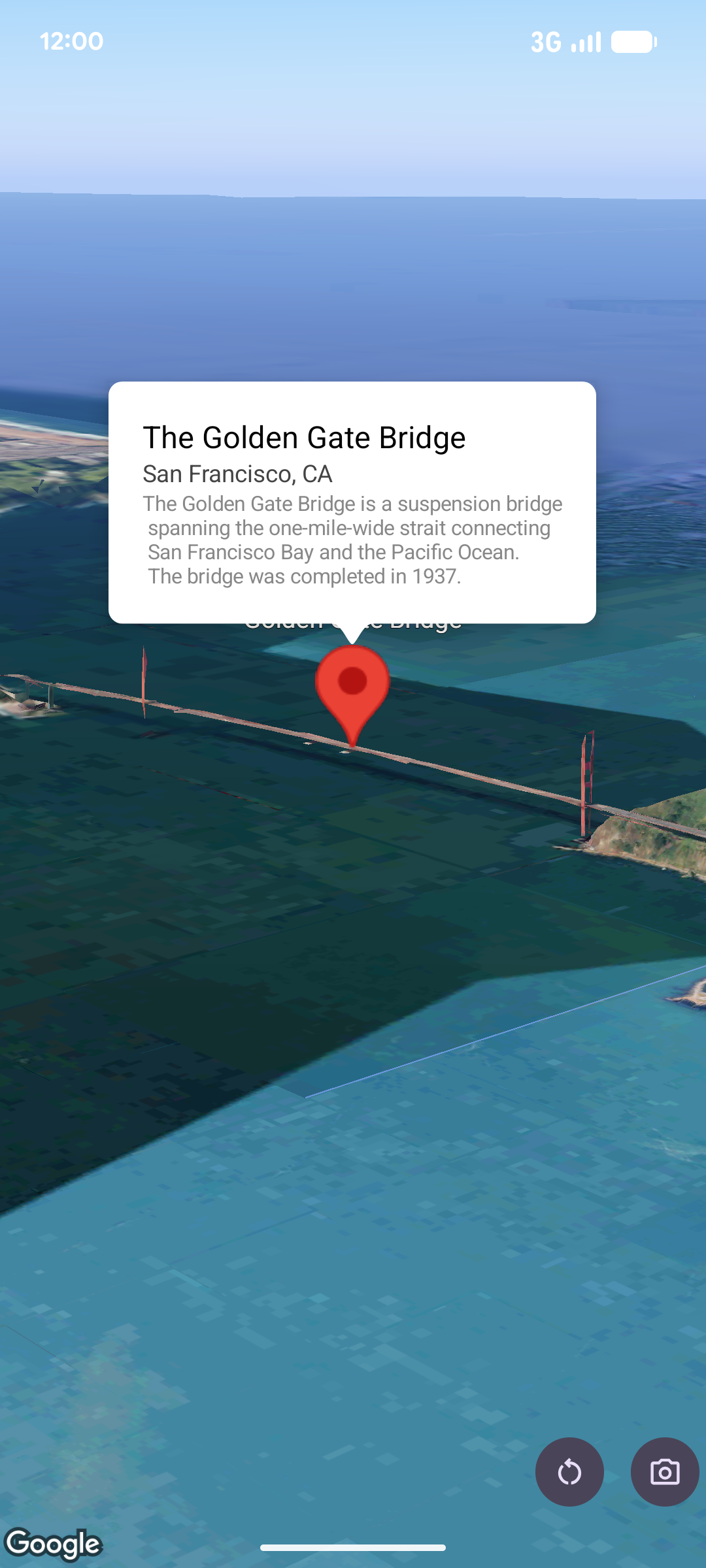
팝오버는 지도 위의 지정된 위치에 정보 풍선 창으로 콘텐츠 (일반적으로 텍스트 또는 이미지)를 표시합니다. 팝오버에는 콘텐츠 영역과 꼬리표가 있습니다. 꼬리표의 끝은 지도에서 지정된 위치에 연결됩니다.
일반적으로 팝오버는 마커에 연결되지만 특정 LatLng 좌표에 연결할 수도 있습니다.
팝오버 추가
팝오버를 추가하려면 Popover 객체를 만들고 위치와 고도 모드를 비롯한 옵션을 설정합니다. 위치는 팝오버가 표시되는 위치를 결정하는 위도, 경도, 고도를 포함하는 LatLng 객체입니다. 마커에 고정하는 경우 마커의 위치가 대신 사용됩니다. 고도 모드를 설정하여 고도가 해석되는 방식을 제어할 수도 있습니다.
팝오버의 콘텐츠는 AndroidView 내에 포함되어야 합니다. 팝오버는 기본적으로 스크롤 가능하며 사전 정의된 최대 높이가 있습니다.
마커에 팝오버 고정
마커에 팝오버를 고정할 수 있습니다. 마커에 고정된 팝오버를 추가할 때는 팝오버를 Marker 객체와 연결해야 합니다.
class MapManager(private val map: MapView) {

    /**
     * Adds a popover anchored to a marker.
     * @param context The Context required to instantiate UI views.
     */
    fun addPopoverToMarker(context: Context) {
        // 1. Create a marker
        val markerOptions = markerOptions {
            position = latLngAltitude {
                latitude = 37.422
                longitude = -122.084
                altitude = 0.0
            }
        }

        val marker = map.addMarker(markerOptions) ?: return

        // 2. Create the custom view using the passed-in context
        val textView = TextView(context).apply {
            text = context.getString(R.string.popover_hello)
            setPadding(16, 16, 16, 16)
            setBackgroundColor(Color.WHITE)
            setTextColor(Color.BLACK)
        }

        // 3. Configure and display the popover
        val options = popoverOptions {
            content = textView
            positionAnchor = marker
            altitudeMode = AltitudeMode.RELATIVE_TO_GROUND
        }

        val popover = map.addPopover(options)
        popover.show()
    }
}
구성된 팝오버 추가
다음 샘플은 사용자가 팝오버 외부를 탭하면 자동으로 닫히고 새로 열린 팝오버로 자동 이동하지 않는 팝오버를 추가합니다.
/**
 * Adds a configured popover (auto-close enabled, auto-pan disabled).
 * @param context The Context used to inflate the UI and retrieve string resources.
 */
fun addConfiguredPopover(context: Context) {
    // 1. Initialize the view with the explicit context
    val textView = TextView(context).apply {
        text = context.getString(com.example.snippets.common.R.string.popover_info)
        setPadding(12, 12, 12, 12)
        setBackgroundColor(Color.WHITE)
        setTextColor(Color.BLACK)
    }

    // 2. Configure popover behavior
    val options = popoverOptions {
        content = textView
        // Setting a fixed coordinate anchor
        positionAnchor = latLngAltitude {
            latitude = 0.0
            longitude = 0.0
            altitude = 0.0
        }
        autoCloseEnabled = true // Closes automatically when the map is tapped elsewhere
        autoPanEnabled = false  // Map camera remains stationary when popover appears
    }

    // 3. Add to the map instance
    map.addPopover(options)
}