 Google uses AI technology to translate content into your preferred language. AI translations can contain errors.
मैप में 3D मॉडल जोड़ना
संग्रह की मदद से व्यवस्थित रहें
अपनी प्राथमिकताओं के आधार पर, कॉन्टेंट को सेव करें और कैटगरी में बांटें.
प्लैटफ़ॉर्म चुनें:
Android
iOS
JavaScript
3D मैप में, इंपोर्ट किया गया अपना 3D मॉडल जोड़ा जा सकता है.
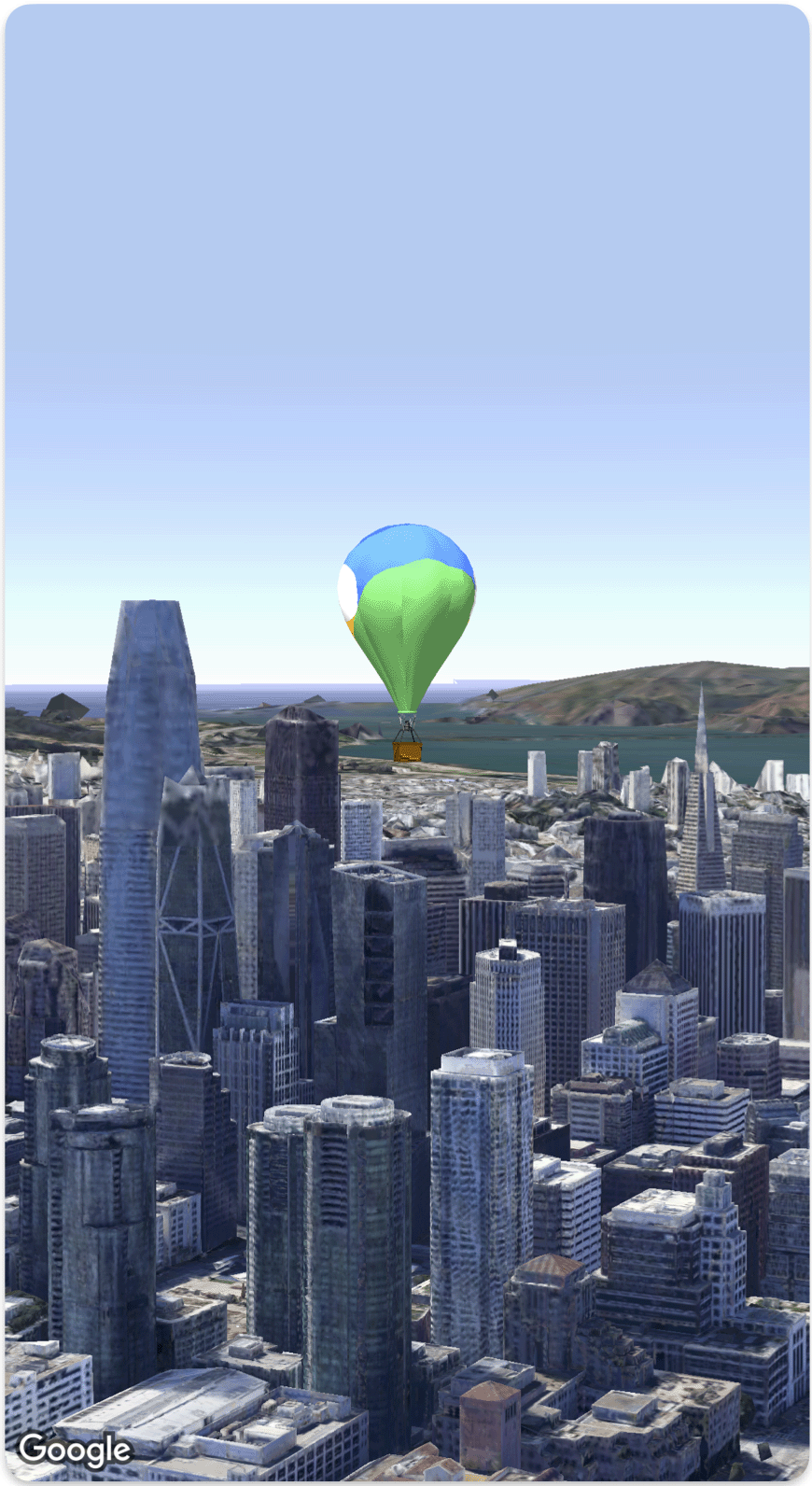
यहां दिए गए कोड के नमूने में, मैप में 3D मॉडल जोड़ने और उसे पोज़िशन करने का तरीका बताया गया है.Model
struct SimpleModelDemo: View {
  @State var camera: Camera = .init(
    center: .init(latitude: 37.791376, longitude: -122.397571,  altitude: 240),
    heading: 288.0,
    tilt: 88.0,
    roll: 0.0,
    range: 1500)
  @State var balloonModel: Model = .init(
    position: .init(
      LatLngAltitude(
      latitude: 37.7845812,
      longitude: -122.3660241,
      altitude: 585),
    url: URL(string: "") ?? URL(fileURLWithPath: fileUrl),
    altitudeMode: .relativeToMesh,
    scale: .init(x: 5, y: 5, z: 5),
    orientation: .init(heading: 0, tilt: 0, roll: 0)
  )
  var body: some View {
    Map(camera: $camera, mode: .satellite) {
        balloonModel
    }
  }
}
private let fileUrl = Bundle.main.url(forResource: "balloon", withExtension: "glb")!.path
जब तक कुछ अलग से न बताया जाए, तब तक इस पेज की सामग्री को Creative Commons Attribution 4.0 License के तहत और कोड के नमूनों को Apache 2.0 License के तहत लाइसेंस मिला है. ज़्यादा जानकारी के लिए, Google Developers साइट नीतियां देखें. Oracle और/या इससे जुड़ी हुई कंपनियों का, Java एक रजिस्टर किया हुआ ट्रेडमार्क है.
आखिरी बार 2026-07-09 (UTC) को अपडेट किया गया.
[null,null,["आखिरी बार 2026-07-09 (UTC) को अपडेट किया गया."],[],[]]
