

가져온 3D 모델을 3D 지도에 추가할 수 있습니다.
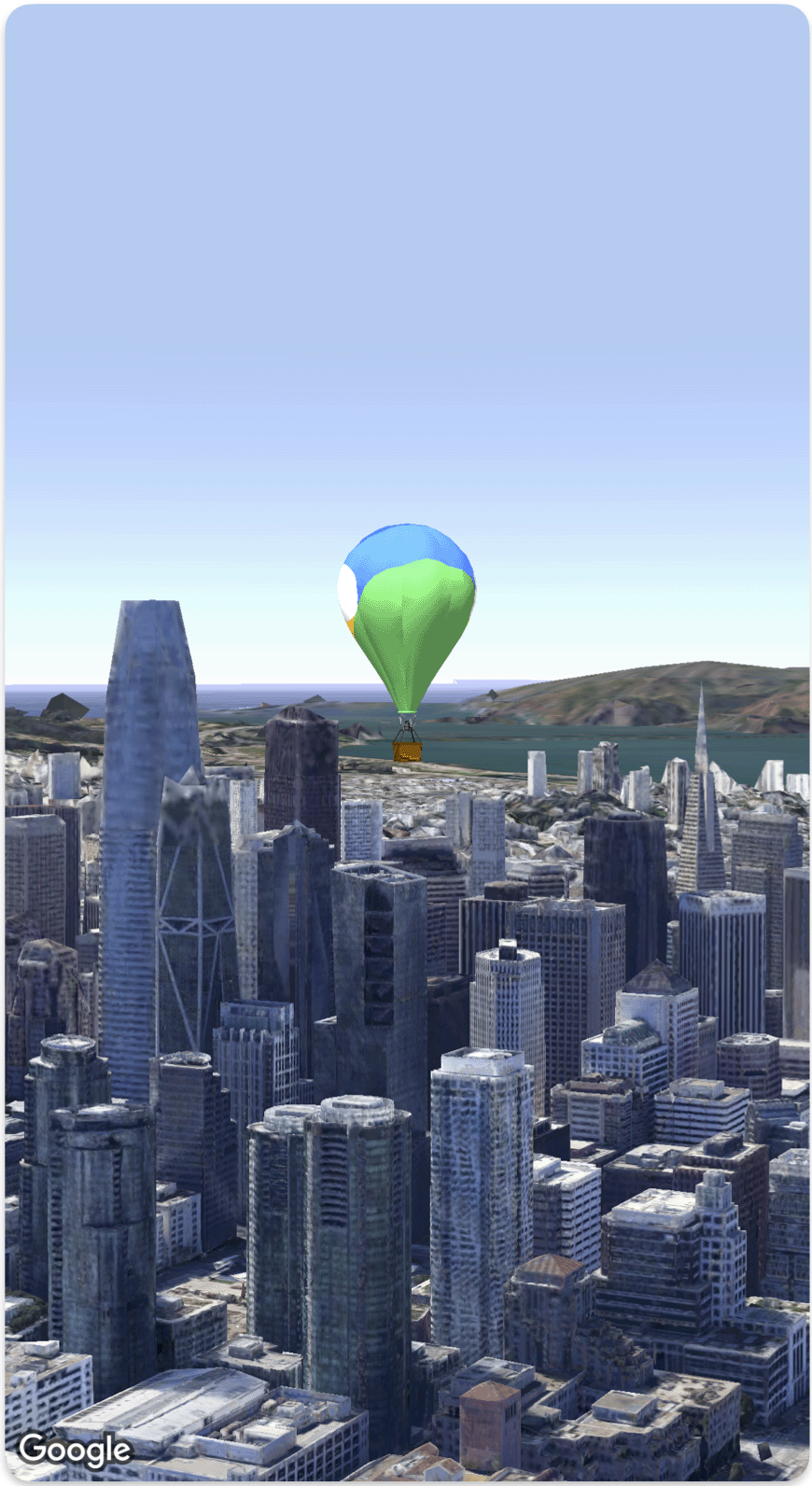
다음 코드 샘플은 Model 구조체를 사용하여 3D 모델을 추가하고 지도에 배치하는 방법을 보여줍니다.
struct SimpleModelDemo: View {
  @State var camera: Camera = .init(
    center: .init(latitude: 37.791376, longitude: -122.397571,  altitude: 240),
    heading: 288.0,
    tilt: 88.0,
    roll: 0.0,
    range: 1500)
  @State var balloonModel: Model = .init(
    position: .init(
      LatLngAltitude(
      latitude: 37.7845812,
      longitude: -122.3660241,
      altitude: 585),
    url: URL(string: "") ?? URL(fileURLWithPath: fileUrl),
    altitudeMode: .relativeToMesh,
    scale: .init(x: 5, y: 5, z: 5),
    orientation: .init(heading: 0, tilt: 0, roll: 0)
  )
  var body: some View {
    Map(camera: $camera, mode: .satellite) {
        balloonModel
    }
  }
}
private let fileUrl = Bundle.main.url(forResource: "balloon", withExtension: "glb")!.path