

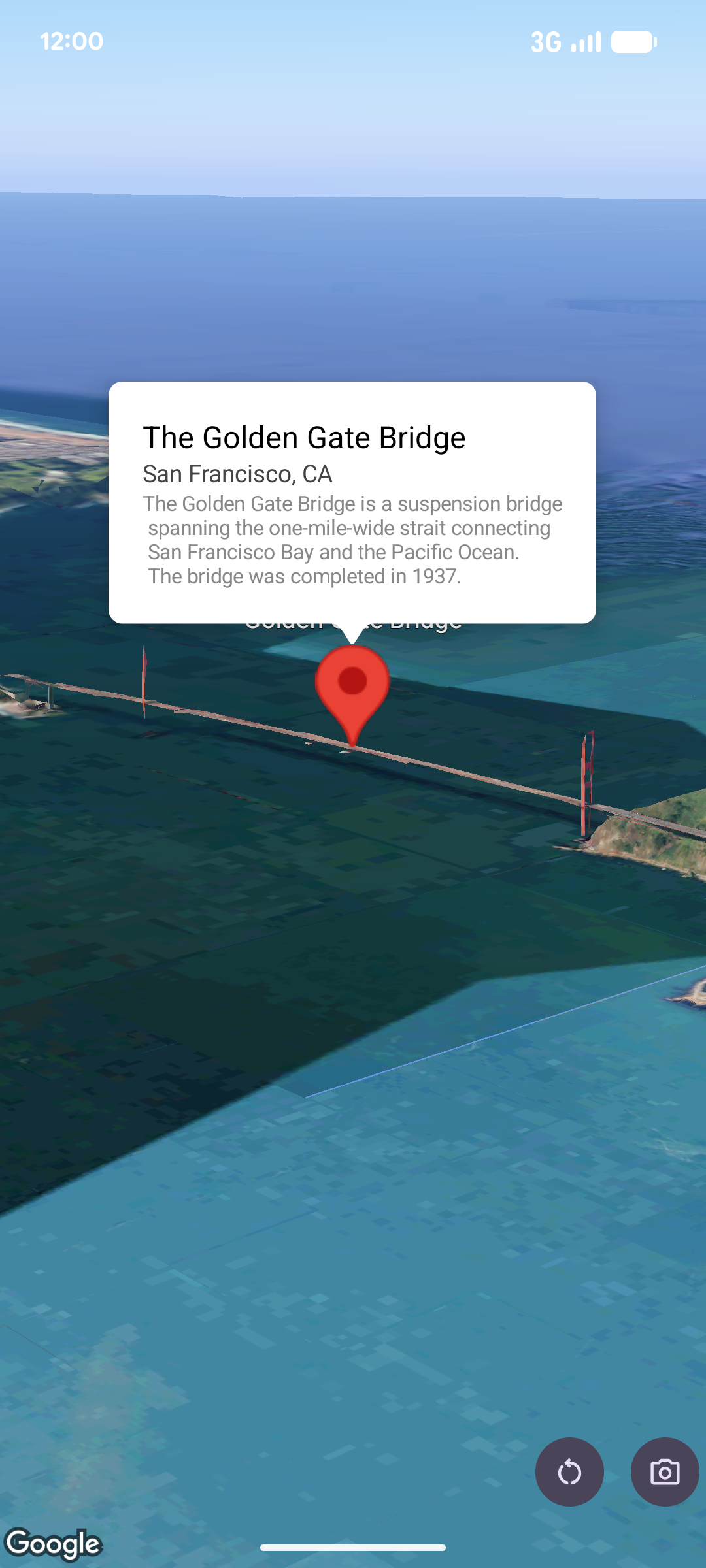
Un popup mostra contenuti (in genere testo o immagini) in una finestra a forma di fumetto informativa sopra la mappa, in una determinata posizione. Il popup ha un'area di contenuti e un gambo affusolato. La punta del gambo è collegata a una posizione specificata sulla mappa.
In genere, un popup viene collegato a un
indicatore, ma puoi anche
collegarlo a una coordinata LatLng specifica.
Aggiungere un popup
Per aggiungere un popup, crea un oggetto Popover e imposta le relative opzioni, inclusi
la posizione e
la modalità di altitudine
. La posizione è un oggetto LatLng che include latitudine, longitudine e altitudine, che determina la posizione in cui viene visualizzato il popup. Se l'ancoraggio è a un indicatore, viene utilizzata la posizione dell'indicatore. Puoi anche controllare come viene interpretata l'altitudine impostando la modalità di altitudine.
I contenuti di un popup devono essere contenuti in un AndroidView. I popup sono scorrevoli per impostazione predefinita e hanno un'altezza massima predefinita.
Ancorare un popup a un indicatore
Puoi ancorare i popup agli indicatori. Quando aggiungi un popup ancorato a un indicatore, devi associare il popup a un oggetto Marker.
class MapManager(private val map: MapView) {

    /**
     * Adds a popover anchored to a marker.
     * @param context The Context required to instantiate UI views.
     */
    fun addPopoverToMarker(context: Context) {
        // 1. Create a marker
        val markerOptions = markerOptions {
            position = latLngAltitude {
                latitude = 37.422
                longitude = -122.084
                altitude = 0.0
            }
        }

        val marker = map.addMarker(markerOptions) ?: return

        // 2. Create the custom view using the passed-in context
        val textView = TextView(context).apply {
            text = context.getString(R.string.popover_hello)
            setPadding(16, 16, 16, 16)
            setBackgroundColor(Color.WHITE)
            setTextColor(Color.BLACK)
        }

        // 3. Configure and display the popover
        val options = popoverOptions {
            content = textView
            positionAnchor = marker
            altitudeMode = AltitudeMode.RELATIVE_TO_GROUND
        }

        val popover = map.addPopover(options)
        popover.show()
    }
}
Aggiungere un popup configurato
Il seguente esempio aggiunge un popup che si chiude automaticamente quando l'utente tocca al di fuori del popup e non esegue automaticamente la panoramica dei popup appena aperti:
/**
 * Adds a configured popover (auto-close enabled, auto-pan disabled).
 * @param context The Context used to inflate the UI and retrieve string resources.
 */
fun addConfiguredPopover(context: Context) {
    // 1. Initialize the view with the explicit context
    val textView = TextView(context).apply {
        text = context.getString(com.example.snippets.common.R.string.popover_info)
        setPadding(12, 12, 12, 12)
        setBackgroundColor(Color.WHITE)
        setTextColor(Color.BLACK)
    }

    // 2. Configure popover behavior
    val options = popoverOptions {
        content = textView
        // Setting a fixed coordinate anchor
        positionAnchor = latLngAltitude {
            latitude = 0.0
            longitude = 0.0
            altitude = 0.0
        }
        autoCloseEnabled = true // Closes automatically when the map is tapped elsewhere
        autoPanEnabled = false  // Map camera remains stationary when popover appears
    }

    // 3. Add to the map instance
    map.addPopover(options)
}